> ## Documentation Index
> Fetch the complete documentation index at: https://docs.usertour.io/llms.txt
> Use this file to discover all available pages before exploring further.
# Billing & Invoices
> Learn how to manage your subscription and download invoices from the Billing page via Stripe.
The Billing page lets you manage your subscription, update payment methods, and download invoices. Billing is powered by [Stripe](https://stripe.com), so when you open the billing portal you'll be on Stripe's secure interface.
## Where to find Billing
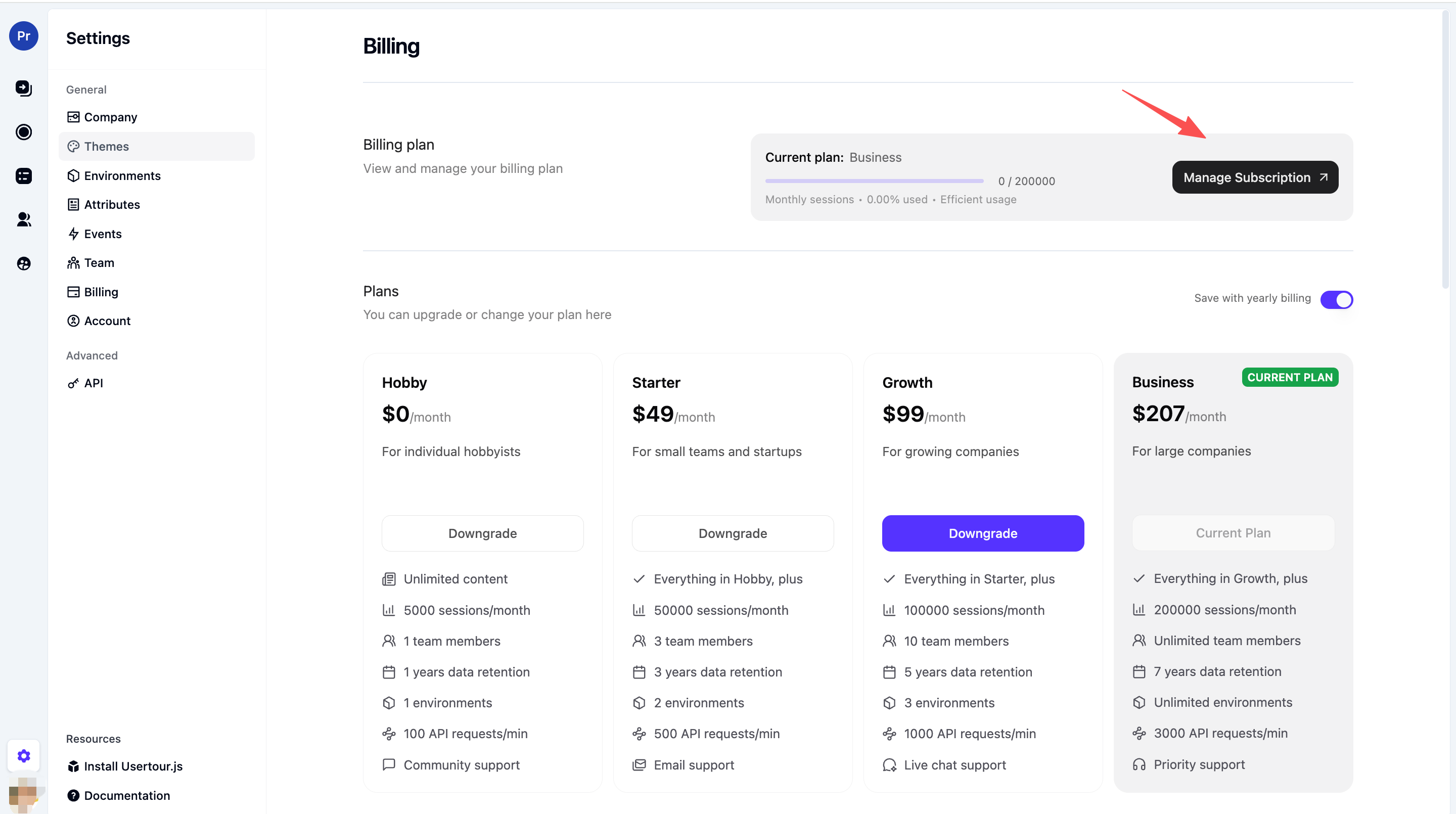
1. Go to **Settings** in the sidebar.
2. Open the **Billing** section.
You'll see your current plan. Click **Manage Subscription** to open the Stripe portal.
 ## What you can do in the Billing portal
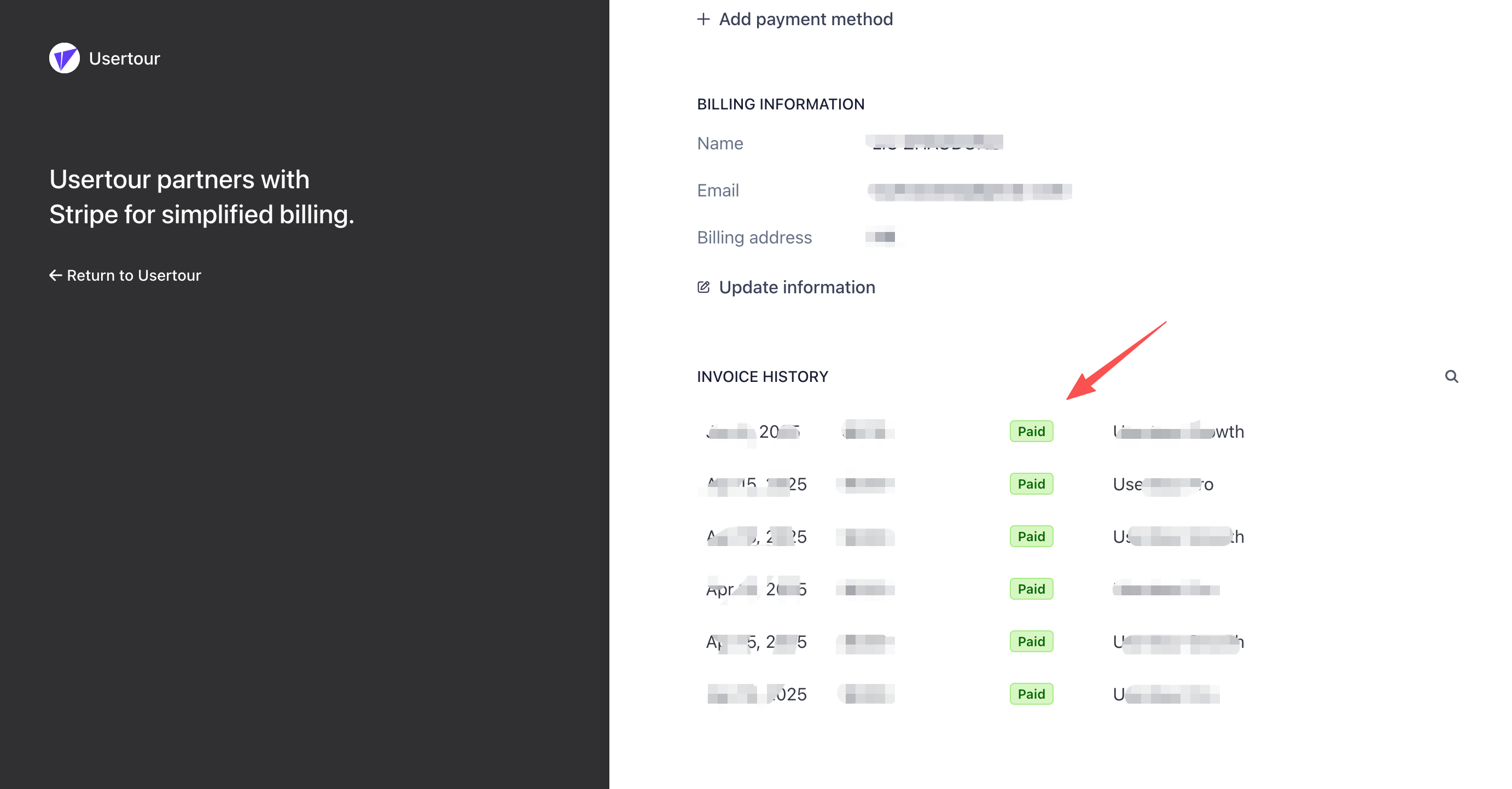
After you click **Manage Subscription**, you're redirected to the **Stripe Customer Portal**. There you can:
* **View and update your payment method** (card, etc.)
* **View billing history** and past invoices
* **Download invoices** (see below)
* **Update billing email** or address
* **Cancel or change plan** (if your product supports it)
In the Stripe portal, click **Invoice history** to open the invoice page.
## What you can do in the Billing portal
After you click **Manage Subscription**, you're redirected to the **Stripe Customer Portal**. There you can:
* **View and update your payment method** (card, etc.)
* **View billing history** and past invoices
* **Download invoices** (see below)
* **Update billing email** or address
* **Cancel or change plan** (if your product supports it)
In the Stripe portal, click **Invoice history** to open the invoice page.
 ## How to download invoices
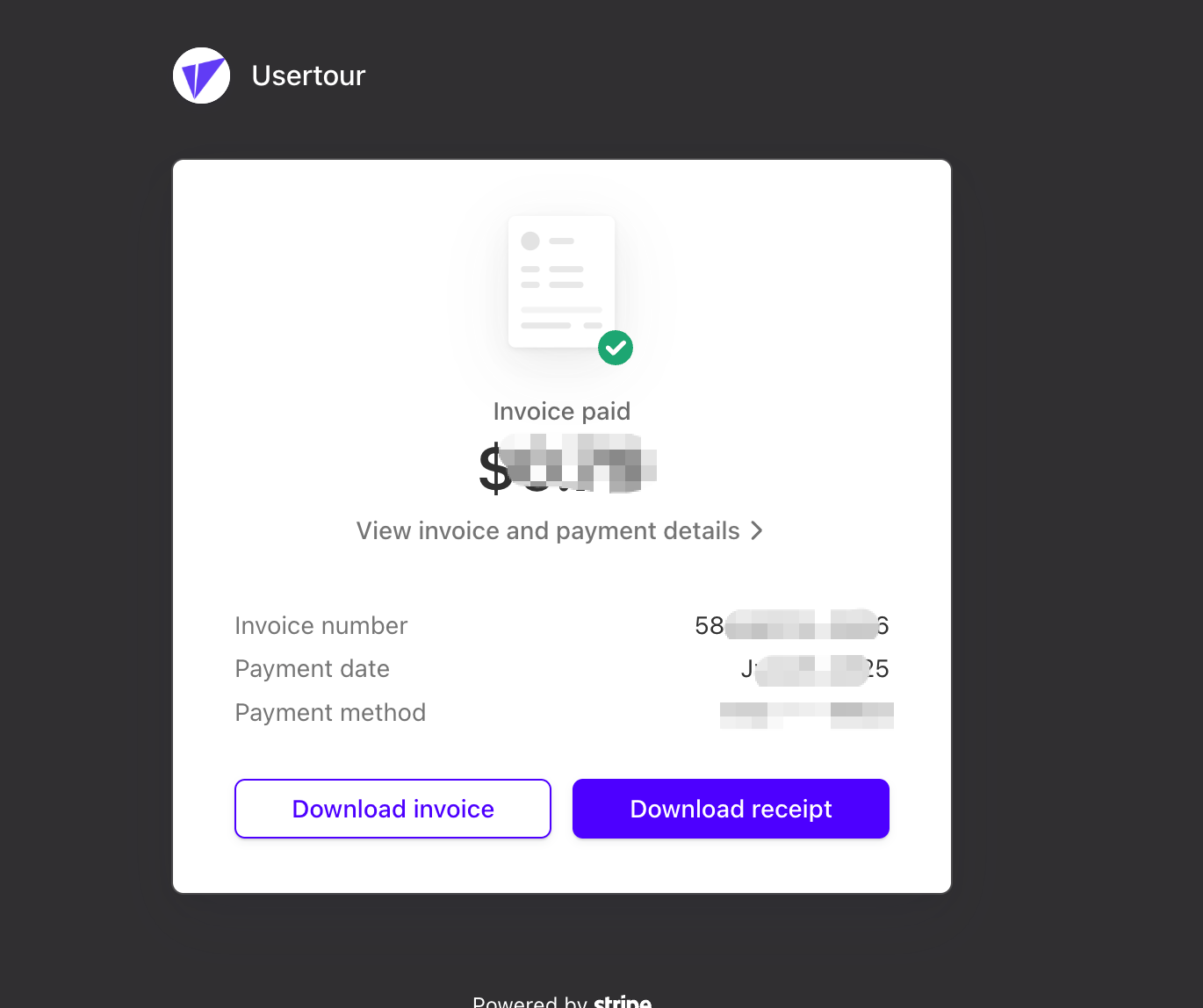
On the Stripe invoice page you can view all past invoices. For each invoice you can **Download** the invoice (PDF) or **Download receipt**.
## How to download invoices
On the Stripe invoice page you can view all past invoices. For each invoice you can **Download** the invoice (PDF) or **Download receipt**.
 ## Need help with Stripe or invoices?
* For **invoice or payment issues** (wrong amount, missing invoice, etc.), contact [support@usertour.io](mailto:support@usertour.io).
* For **Stripe account or portal** questions, you can also refer to [Stripe's documentation](https://stripe.com/docs) or their support.
## Need help with Stripe or invoices?
* For **invoice or payment issues** (wrong amount, missing invoice, etc.), contact [support@usertour.io](mailto:support@usertour.io).
* For **Stripe account or portal** questions, you can also refer to [Stripe's documentation](https://stripe.com/docs) or their support.