> ## Documentation Index
> Fetch the complete documentation index at: https://docs.usertour.io/llms.txt
> Use this file to discover all available pages before exploring further.
# Companies
> Learn how to manage and target users across different organizations in your application
## Overview
Companies in Usertour helps you manage users who belong to the same organization, whether you call them companies, teams, or accounts in your app. It's perfect for:
* Targeting content to entire organizations
* Tracking company-wide behavior
* Managing multi-company users
* Personalizing experiences
* Understanding team dynamics
## Why Use Companies?
### Multi-Company Support
Users often belong to multiple organizations. Maybe they're an admin in one company and a regular user in another. Usertour understands these relationships and helps you:
* Track different roles
* Manage permissions
* Customize experiences
* Handle complex scenarios
### Company-Wide Insights
Instead of looking at individual users, you can:
* Track company-level activity
* Measure team engagement
* Monitor group behavior
* Make data-driven decisions
### User Management
Get a clear view of:
* Who's in each company
* What they're doing
* How they're engaging
* Where they need help
## Getting Started
### Setup
It's simple to get started with Companies. Just add this to your [Usertour.js installation](/developers/usertourjs-reference/installation):
```javascript theme={null}
usertour.group(companyId, {
// Optional company attributes
name: "Acme Corp",
plan: "enterprise",
// Optional membership attributes
role: "admin"
});
```
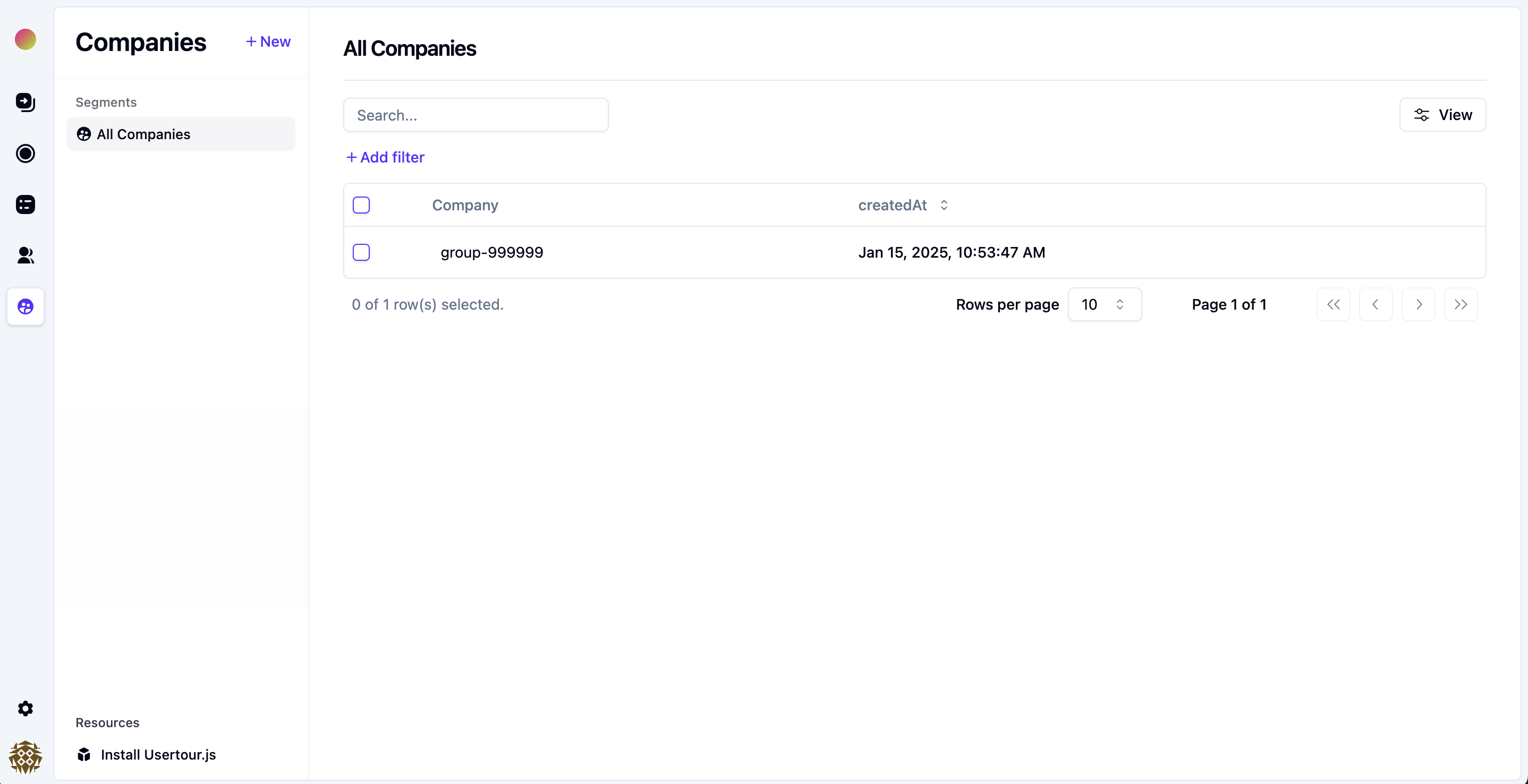
### Using Companies
Once you've set up Companies, you'll find them in the sidebar under **Companies**. Here's what you can do:
 ### Targeting Content
Create flows and experiences based on company attributes:
### Targeting Content
Create flows and experiences based on company attributes:
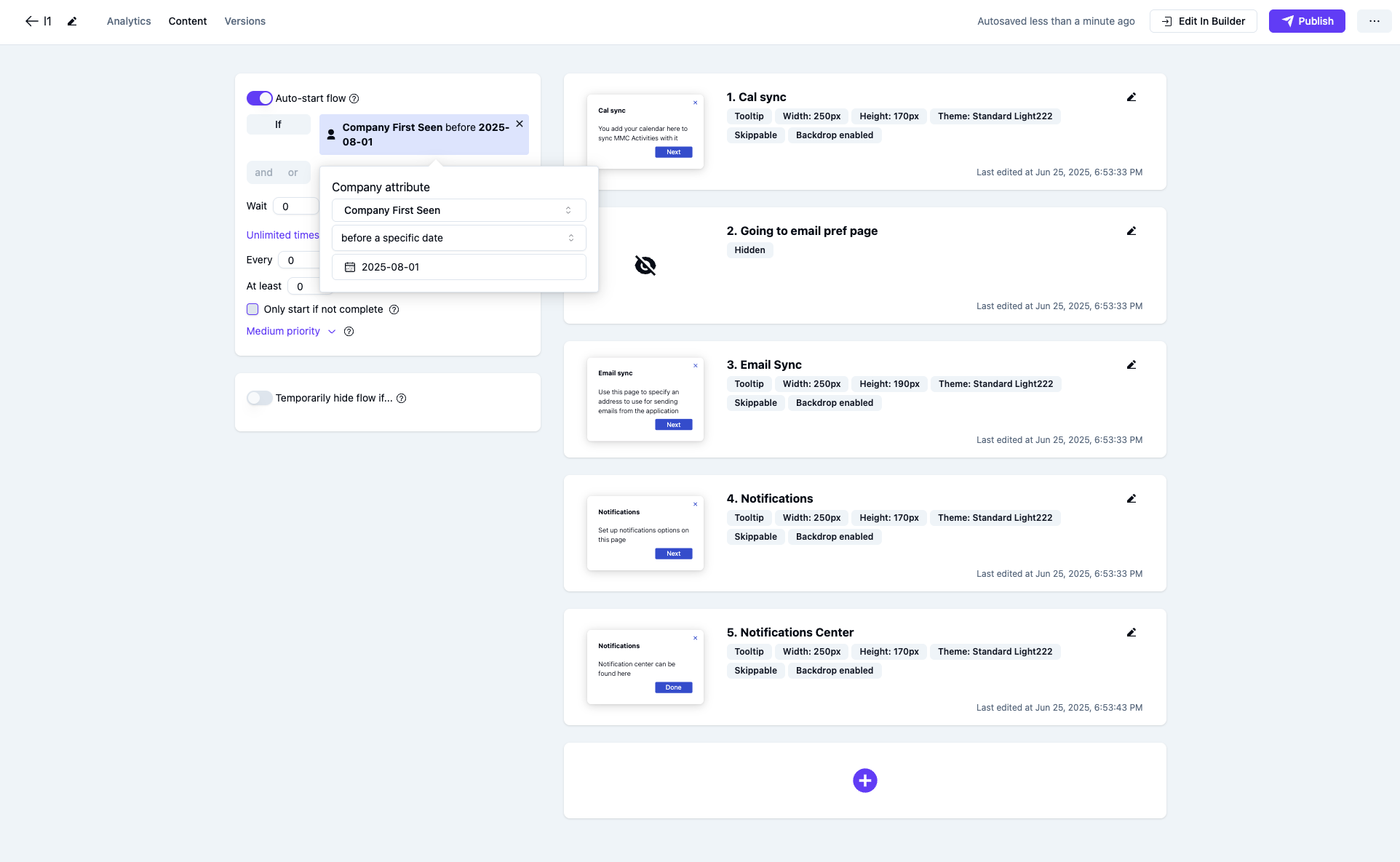 > **Pro tip**: Use company attributes to create targeted experiences for different types of organizations, like showing enterprise features to premium companies or onboarding flows to new teams.