> ## Documentation Index
> Fetch the complete documentation index at: https://docs.usertour.io/llms.txt
> Use this file to discover all available pages before exploring further.
# Flow Analytics
> Learn how to track and analyze user engagement with your flows
## Understanding Flow Performance
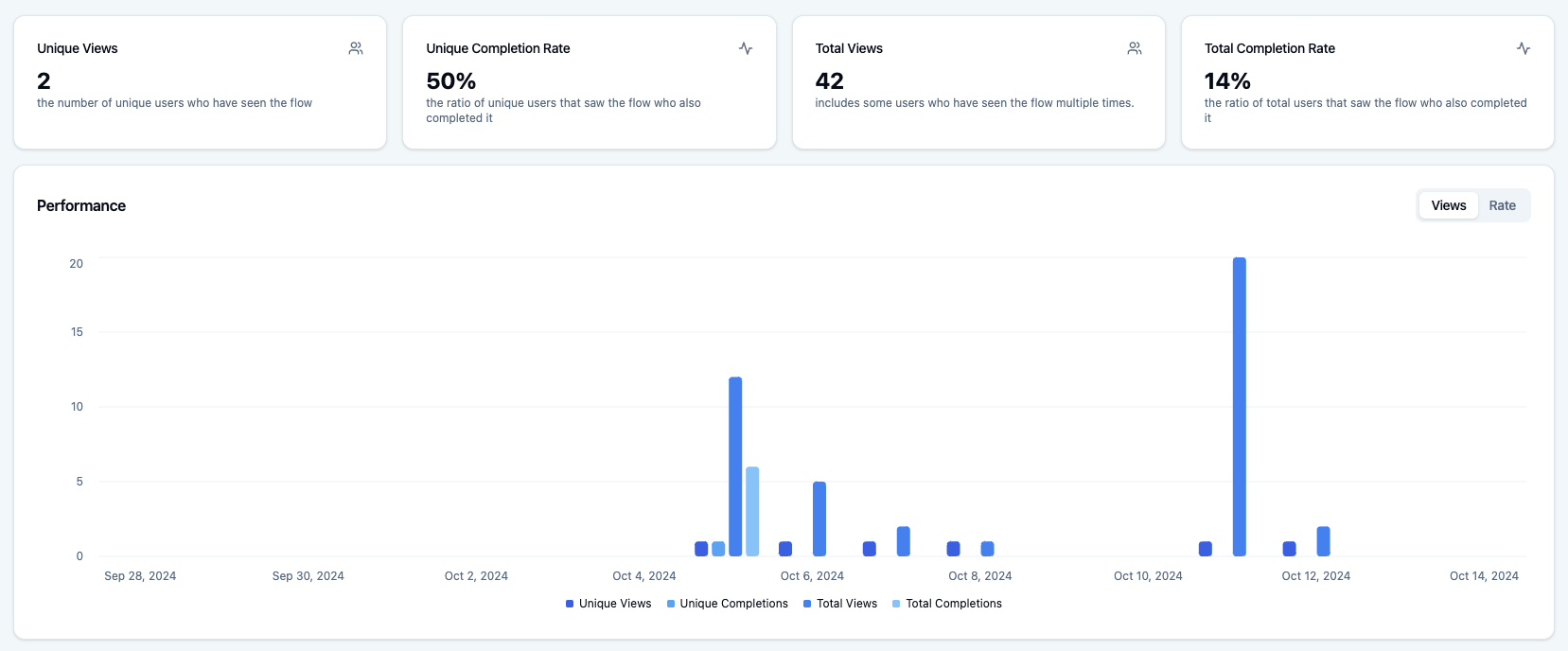
Want to know how your flows are performing? The **Analytics** tab gives you a clear picture of user engagement and flow effectiveness.
 ### Key Metrics
* **Unique Views**: How many different users have seen your flow
* **Total Views**: The total number of times your flow has been viewed (including repeat views)
* **Completion Rate**: The percentage of users who finish the entire flow
## Step-by-Step Analysis
The **Step Funnel** shows you exactly where users might be dropping off or getting stuck:
### Key Metrics
* **Unique Views**: How many different users have seen your flow
* **Total Views**: The total number of times your flow has been viewed (including repeat views)
* **Completion Rate**: The percentage of users who finish the entire flow
## Step-by-Step Analysis
The **Step Funnel** shows you exactly where users might be dropping off or getting stuck:
 ### What to Look For
* **Unique Views**: How many users reached each step
* **View Rate**: The percentage of users who saw each step
* **Funnel Shape**:
* A perfect funnel (wider at top, narrower at bottom) means users are progressing naturally
* Sudden drops indicate potential issues
* Branching flows may show different patterns
### Improving Your Flow
If you notice a steep drop after a particular step:
* Review the step's content
* Check for technical issues
* Consider simplifying the flow
* Make the content more engaging
> **Note**: For flows with branching paths or skippable steps, the funnel might not look traditional, as some users might skip ahead or take different paths.
## Recent User Sessions
Every time a user starts your flow, it creates a new session. The **Recent Sessions** list shows you who's been using your flow lately:
### What to Look For
* **Unique Views**: How many users reached each step
* **View Rate**: The percentage of users who saw each step
* **Funnel Shape**:
* A perfect funnel (wider at top, narrower at bottom) means users are progressing naturally
* Sudden drops indicate potential issues
* Branching flows may show different patterns
### Improving Your Flow
If you notice a steep drop after a particular step:
* Review the step's content
* Check for technical issues
* Consider simplifying the flow
* Make the content more engaging
> **Note**: For flows with branching paths or skippable steps, the funnel might not look traditional, as some users might skip ahead or take different paths.
## Recent User Sessions
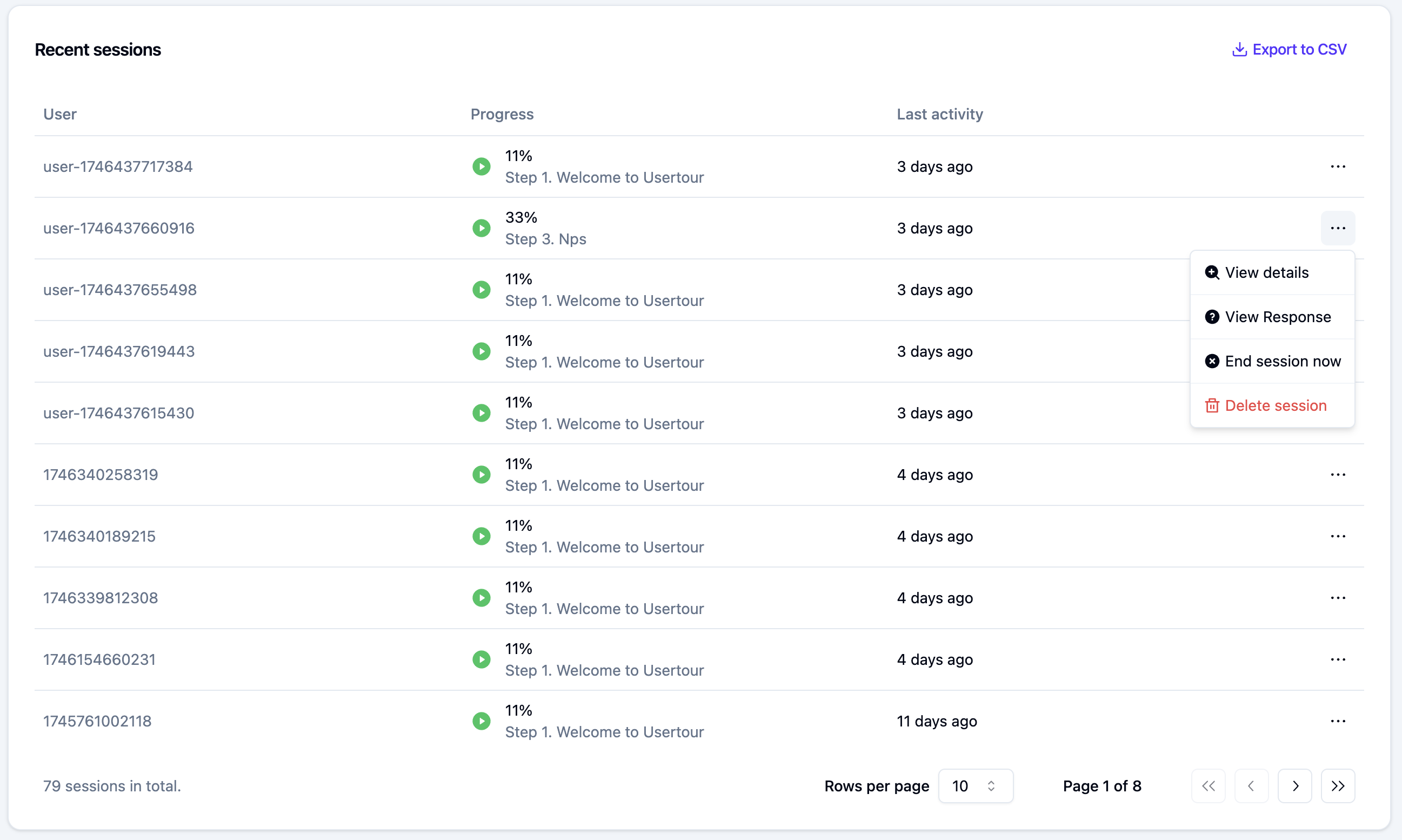
Every time a user starts your flow, it creates a new session. The **Recent Sessions** list shows you who's been using your flow lately:
 ### Session Details
* Click a user's name to view their profile
* Click the horizontal dots (⋯) on the right to view detailed session information
* Track current progress
* See completion status
* Monitor current step
### What You Can Learn
* Which users are engaging with your flow
* How far they're getting
* Where they're dropping off
* Whether they're completing or dismissing the flow
> **Pro tip**: Use this data to identify patterns and make informed decisions about improving your flows.
### Session Details
* Click a user's name to view their profile
* Click the horizontal dots (⋯) on the right to view detailed session information
* Track current progress
* See completion status
* Monitor current step
### What You Can Learn
* Which users are engaging with your flow
* How far they're getting
* Where they're dropping off
* Whether they're completing or dismissing the flow
> **Pro tip**: Use this data to identify patterns and make informed decisions about improving your flows.