> ## Documentation Index
> Fetch the complete documentation index at: https://docs.usertour.io/llms.txt
> Use this file to discover all available pages before exploring further.
# Getting Started
> Get started with Usertour - a powerful platform for building product tours, checklists, and launchers. Follow this guide to integrate Usertour into your application and create your first user experience.
Usertour helps you create engaging product tours, checklists, and launchers to guide your users through your application. With our platform, you can create and manage user experiences independently while maintaining full control over the implementation.
## How Usertour Works
Usertour integrates with your application through a lightweight JavaScript SDK. This SDK enables:
* User identification and tracking
* Dynamic content delivery based on your settings
* Seamless display of tours, checklists, and launchers
* Real-time user behavior tracking
## Getting Started
Follow these steps to implement Usertour in your application:
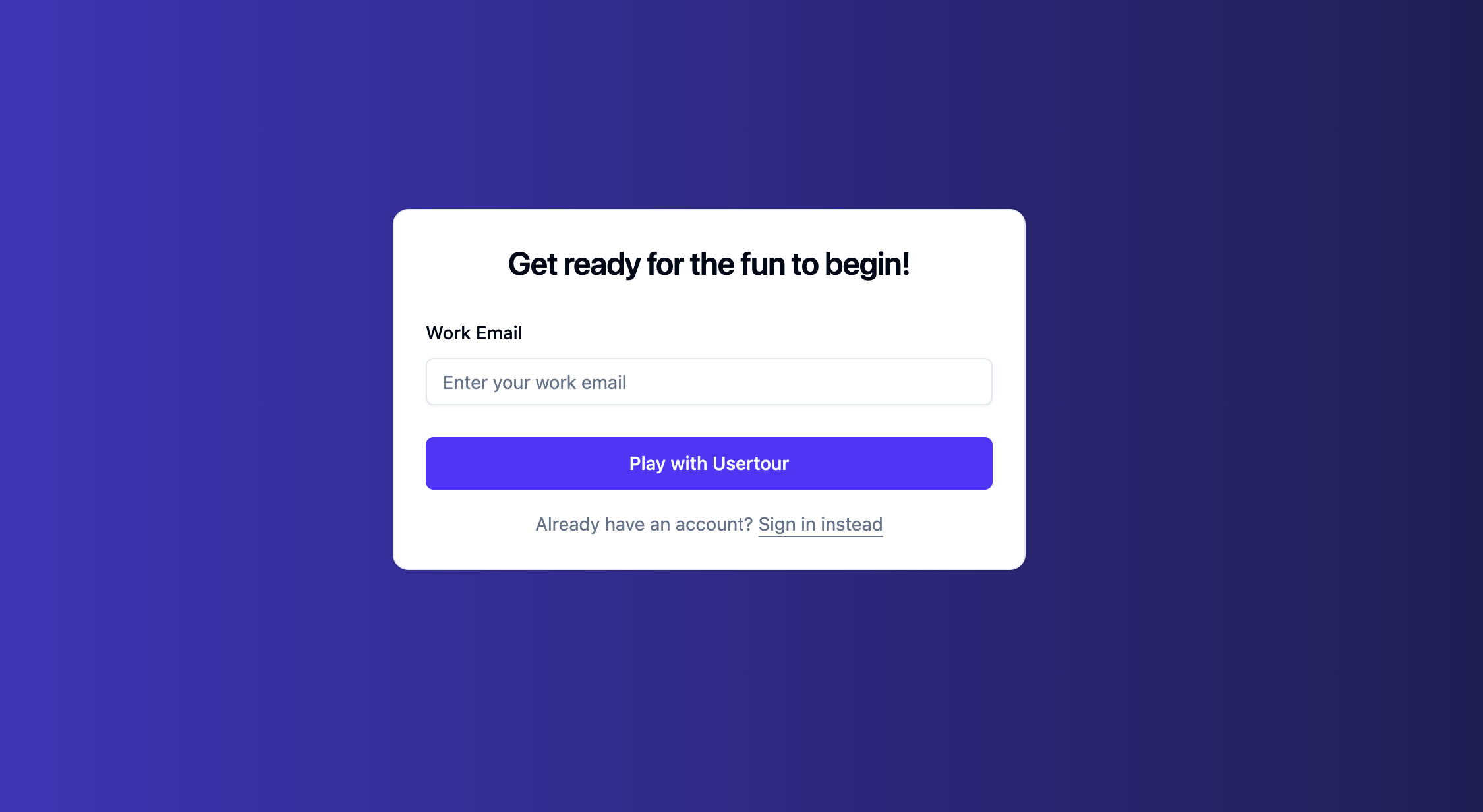
### 1. Create an Account
1. Visit [app.usertour.io/auth/signup](https://app.usertour.io/auth/signup)
2. Complete the registration process
3. Verify your email address
 ### 2. Install Usertour.js
The Usertour SDK is the foundation of our platform. It enables:
* Display of interactive content (tours, tooltips, checklists, launchers)
* User property and event tracking
* Real-time content delivery
* Seamless integration with your application
For detailed installation instructions, see our [Installation Guide](/developers/usertourjs-reference/installation).
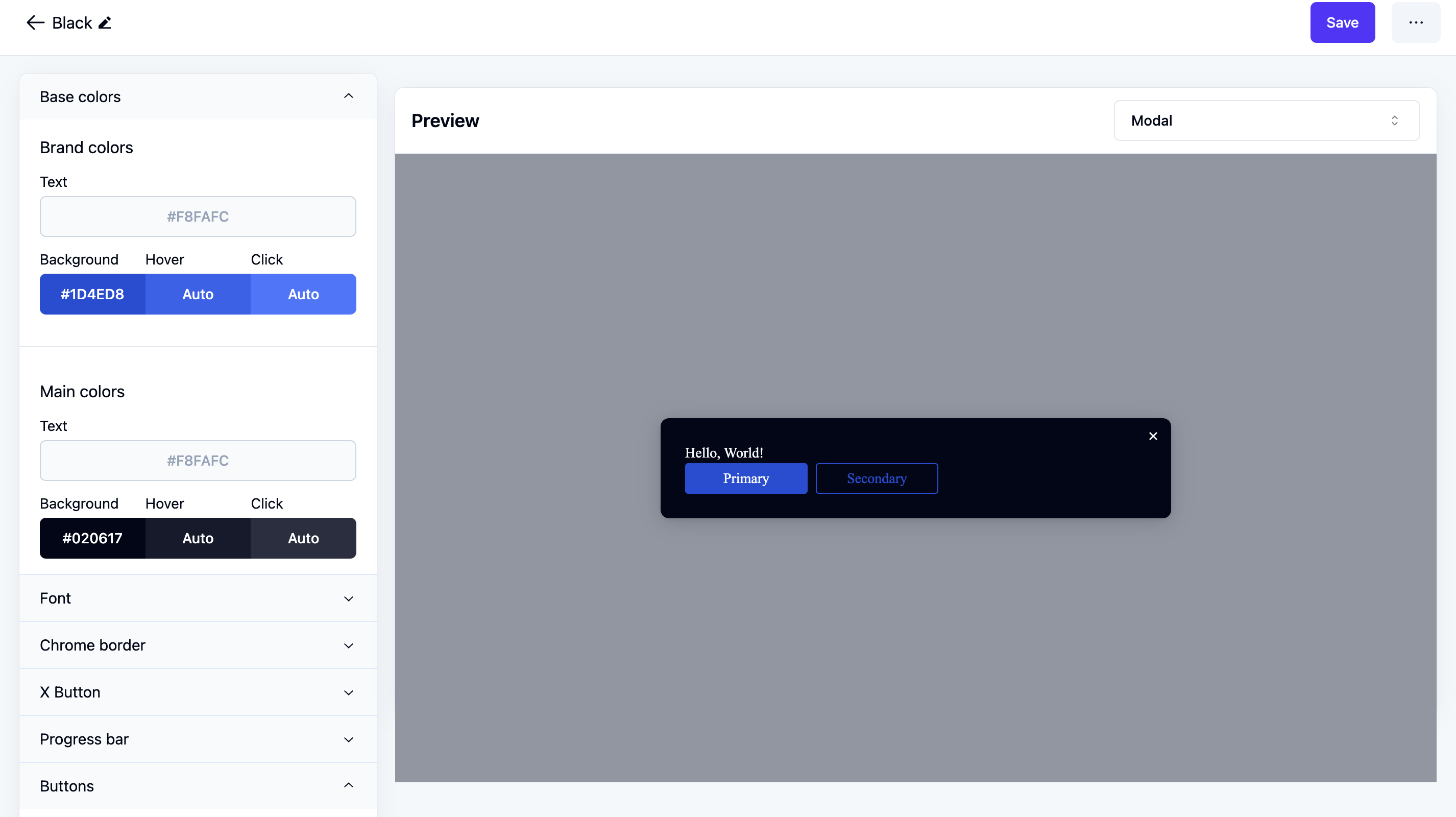
### 3. Configure Your Theme
Customize your user experiences to match your application's design:
1. Go to [app.usertour.io/auth/signin](https://app.usertour.io/auth/signin)
2. Navigate to [Settings → Themes](https://app.usertour.io/project/1/settings/themes)
3. Customize:
* Colors and typography
* Button styles and animations
* Modal and tooltip designs
* Overall visual consistency
### 2. Install Usertour.js
The Usertour SDK is the foundation of our platform. It enables:
* Display of interactive content (tours, tooltips, checklists, launchers)
* User property and event tracking
* Real-time content delivery
* Seamless integration with your application
For detailed installation instructions, see our [Installation Guide](/developers/usertourjs-reference/installation).
### 3. Configure Your Theme
Customize your user experiences to match your application's design:
1. Go to [app.usertour.io/auth/signin](https://app.usertour.io/auth/signin)
2. Navigate to [Settings → Themes](https://app.usertour.io/project/1/settings/themes)
3. Customize:
* Colors and typography
* Button styles and animations
* Modal and tooltip designs
* Overall visual consistency
 ### 4. Create Your First Flow
1. Follow our [Creating Your First Flow](/building-experiences/creating-your-first-flow) guide
2. Design your user experience
3. Configure targeting rules
4. Test and publish your flow
## Need Help?
* **Documentation**: Explore our [comprehensive guides](/developers/usertourjs-reference/overview)
* **Support**: Contact us at [support@usertour.io](mailto:support@usertour.io)
* **Community**: Join our [Discord community](https://discord.gg/WPVJPX8fJh) for discussions and updates
### 4. Create Your First Flow
1. Follow our [Creating Your First Flow](/building-experiences/creating-your-first-flow) guide
2. Design your user experience
3. Configure targeting rules
4. Test and publish your flow
## Need Help?
* **Documentation**: Explore our [comprehensive guides](/developers/usertourjs-reference/overview)
* **Support**: Contact us at [support@usertour.io](mailto:support@usertour.io)
* **Community**: Join our [Discord community](https://discord.gg/WPVJPX8fJh) for discussions and updates