

- instance-level licenses
- project-level licenses
Instance license
An instance license applies to the deployment as a whole. This is usually the cleanest setup for self-hosted teams, especially when you want one admin entry point instead of managing licensing project by project. An instance license is usually the right choice when:- you want one primary subscription entry point
- you want to manage licensing centrally as a system admin
- multiple projects should inherit licensing from the same deployment
Entering an instance license
Starting from version0.6.0, self-hosted deployments include System Admin. If you want to manage licensing at the instance level, go to:
- System Admin > Subscription
Saved license content is not shown again after it has been verified and stored.Before activation, the subscription page shows the unlicensed state and the write-only license field:
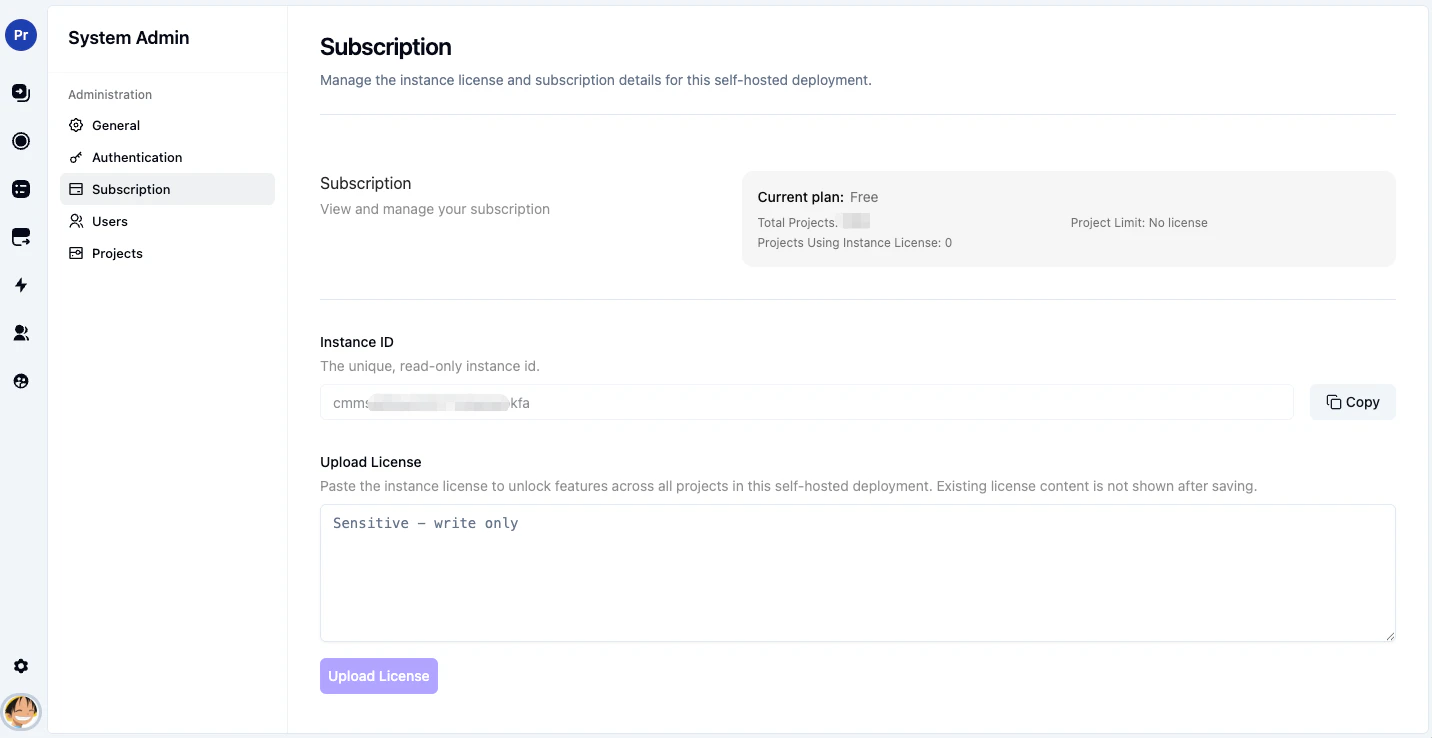
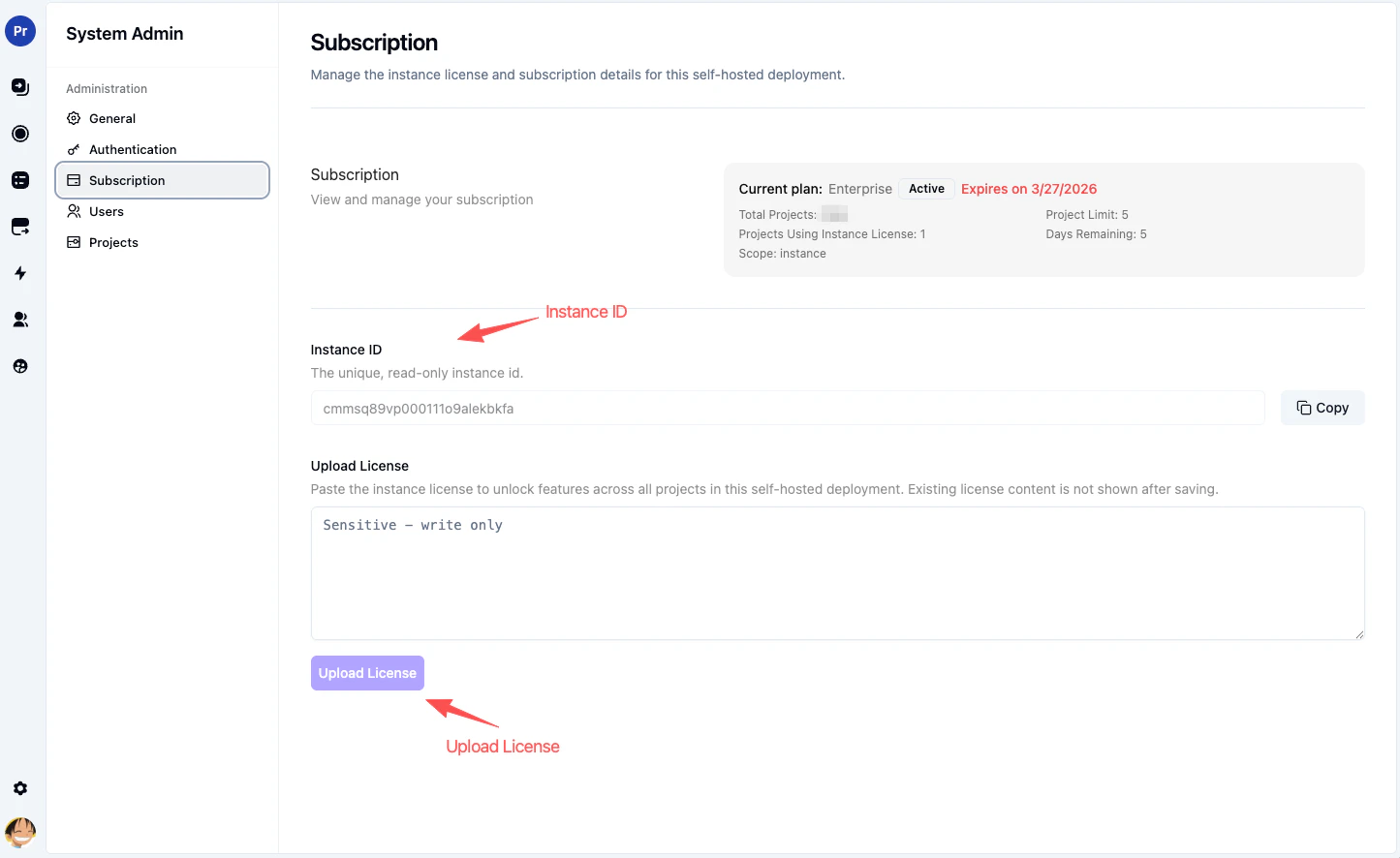
Assigning projects to use the instance license
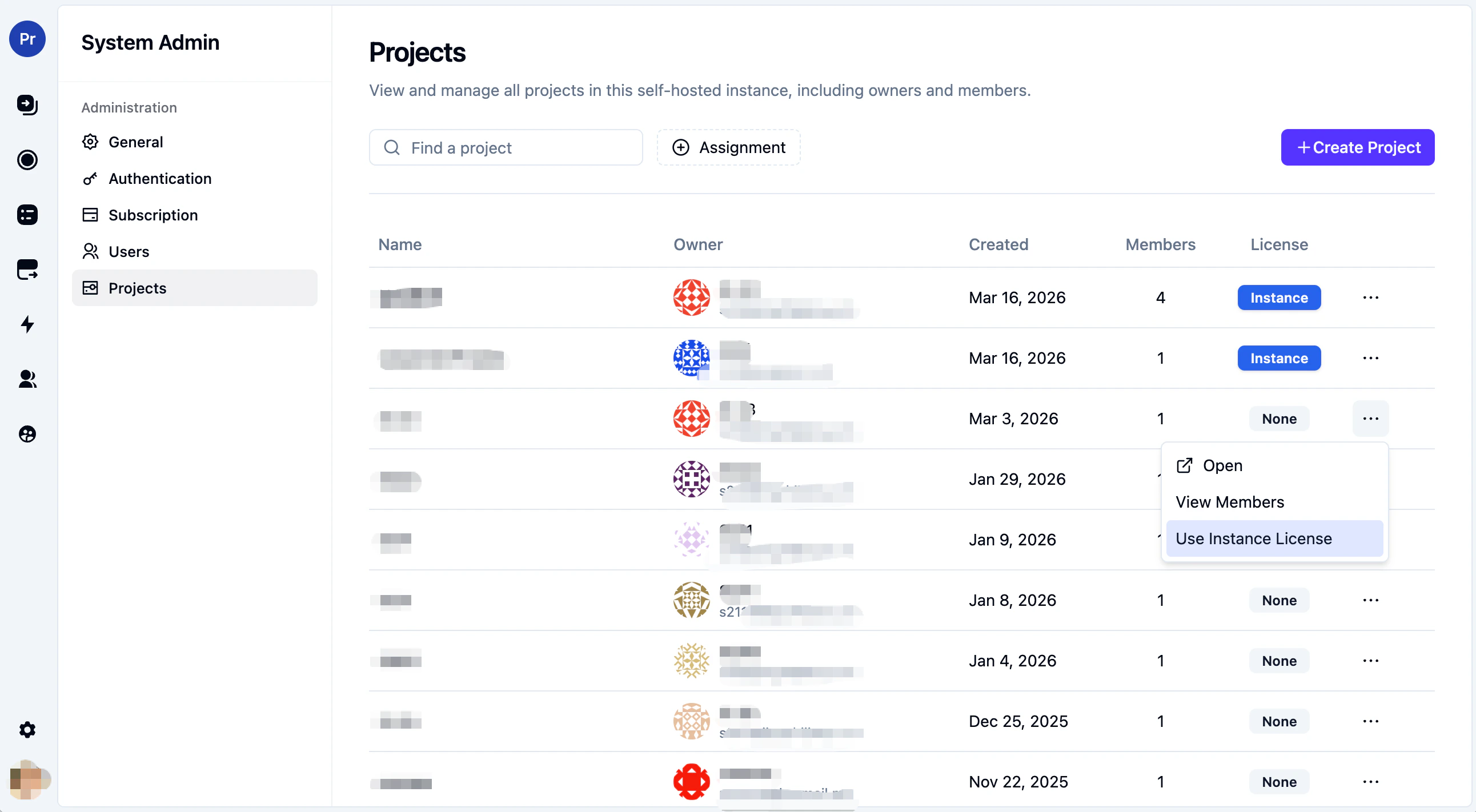
If your instance license has a limitedprojectLimit, a system admin can decide which projects should use it.
Go to:
- System Admin > Projects
- only a subset of projects should remove branding
- you want to prioritize specific projects under a limited instance license
- you want to keep project licenses available for special cases
Project license
Project licenses are still supported, and they are useful when a specific project needs to be treated independently. You can manage a project license from:- Project Settings > Subscription
- a specific project needs separate licensing from the rest of the instance
- you want a project to be managed independently
- a project should have its own license scope even when the instance already has an instance-level license
- System Admin > General
- Allow project-level subscription management
- the project settings sidebar no longer shows Subscription
- instance-level subscription becomes the preferred UI entry point
- existing project licenses continue to work
Precedence
If a project has both an instance license available and its own project license:- Project license takes precedence for that project
- otherwise, the project can use the instance license
Entering a project license
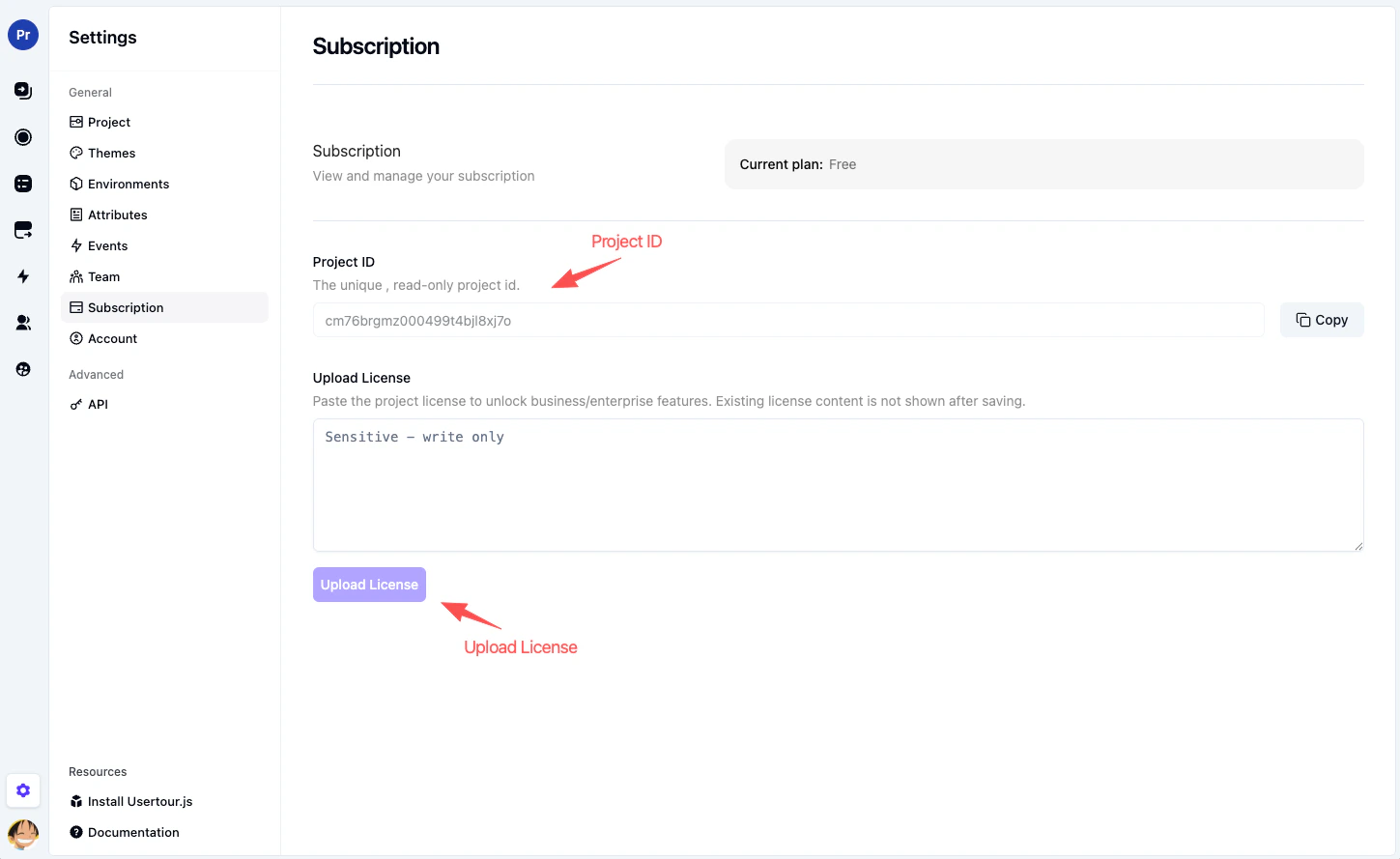
If project-level subscription management is enabled, go to:- Project Settings > Subscription
Saved license content is not shown again after it has been verified and stored.
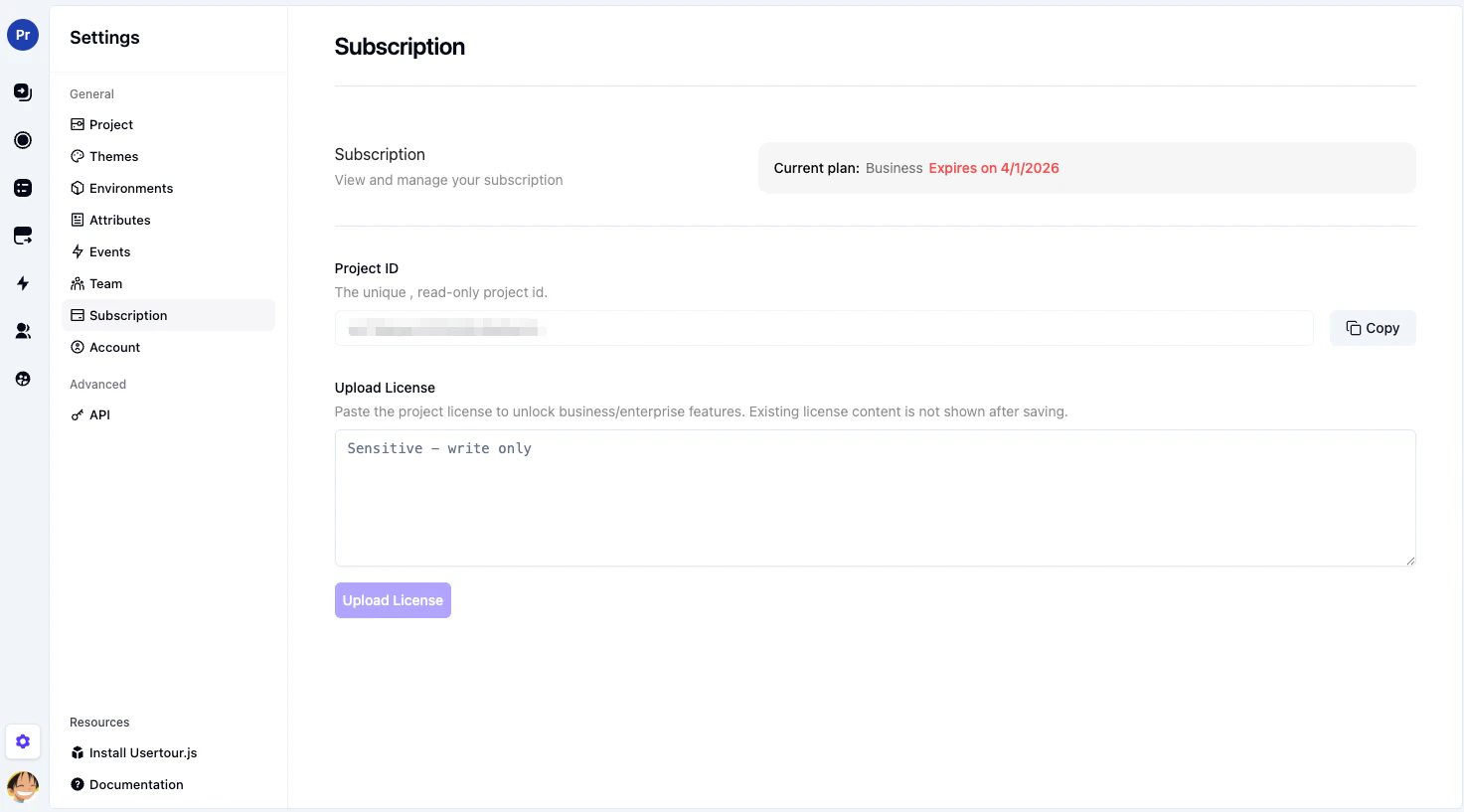
Legacy project license UI
If you’re using an older self-hosted project settings UI, project-level licensing may still appear as a file upload flow instead of the newer paste-and-submit form. In those older versions:- go to Project Settings > Subscription
- click Upload License
- upload the project license file you received from Usertour
If you’re using a version earlier than0.3.0, you won’t see this configuration option. Version0.3.0showsUpdate License, while later versions showUpload License.