Starting from version 0.6.0, self-hosted deployments include a dedicated System Admin area.Think of it as the place where you manage things that belong to the whole instance, not just a single project. That includes:
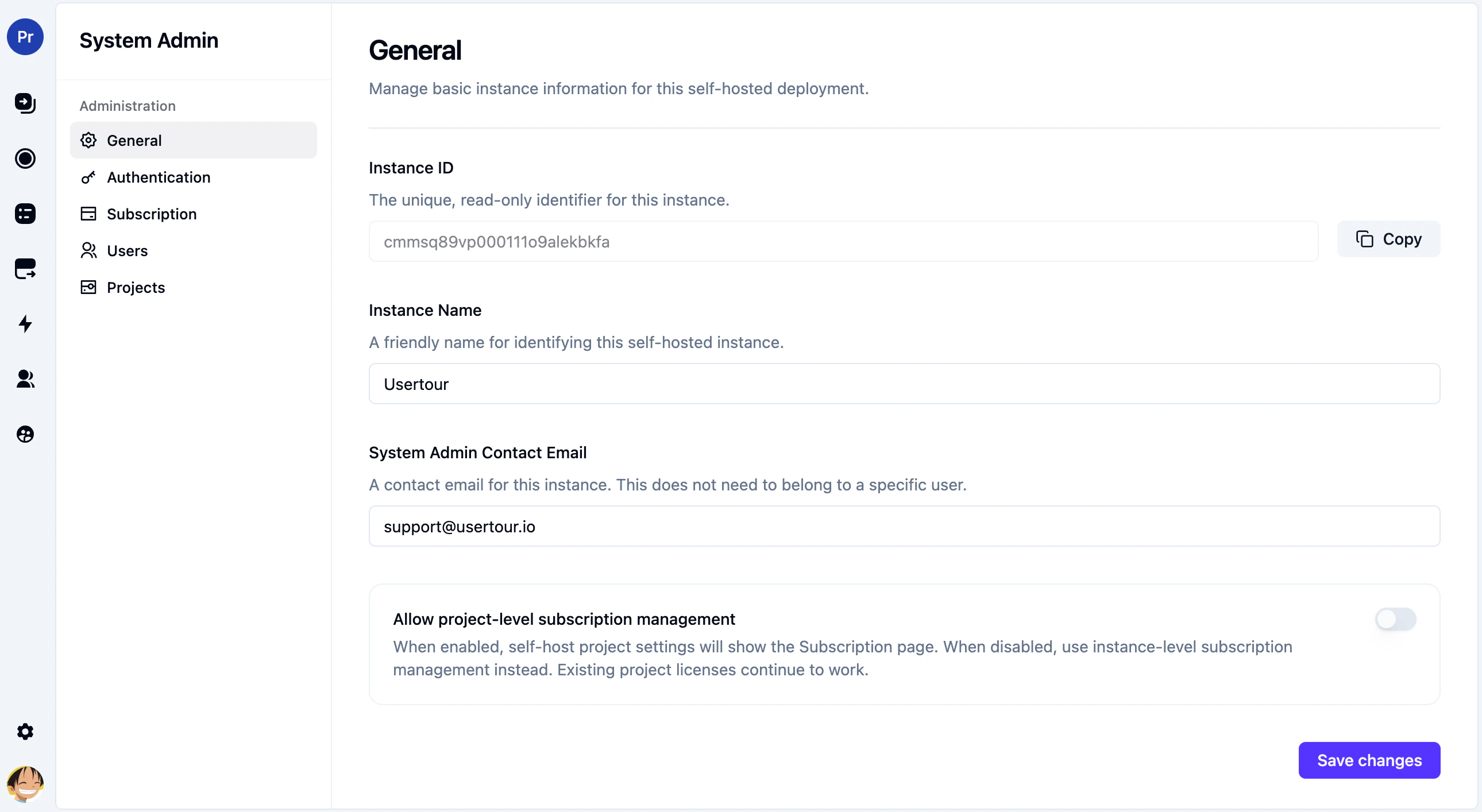
Instance metadata and policies
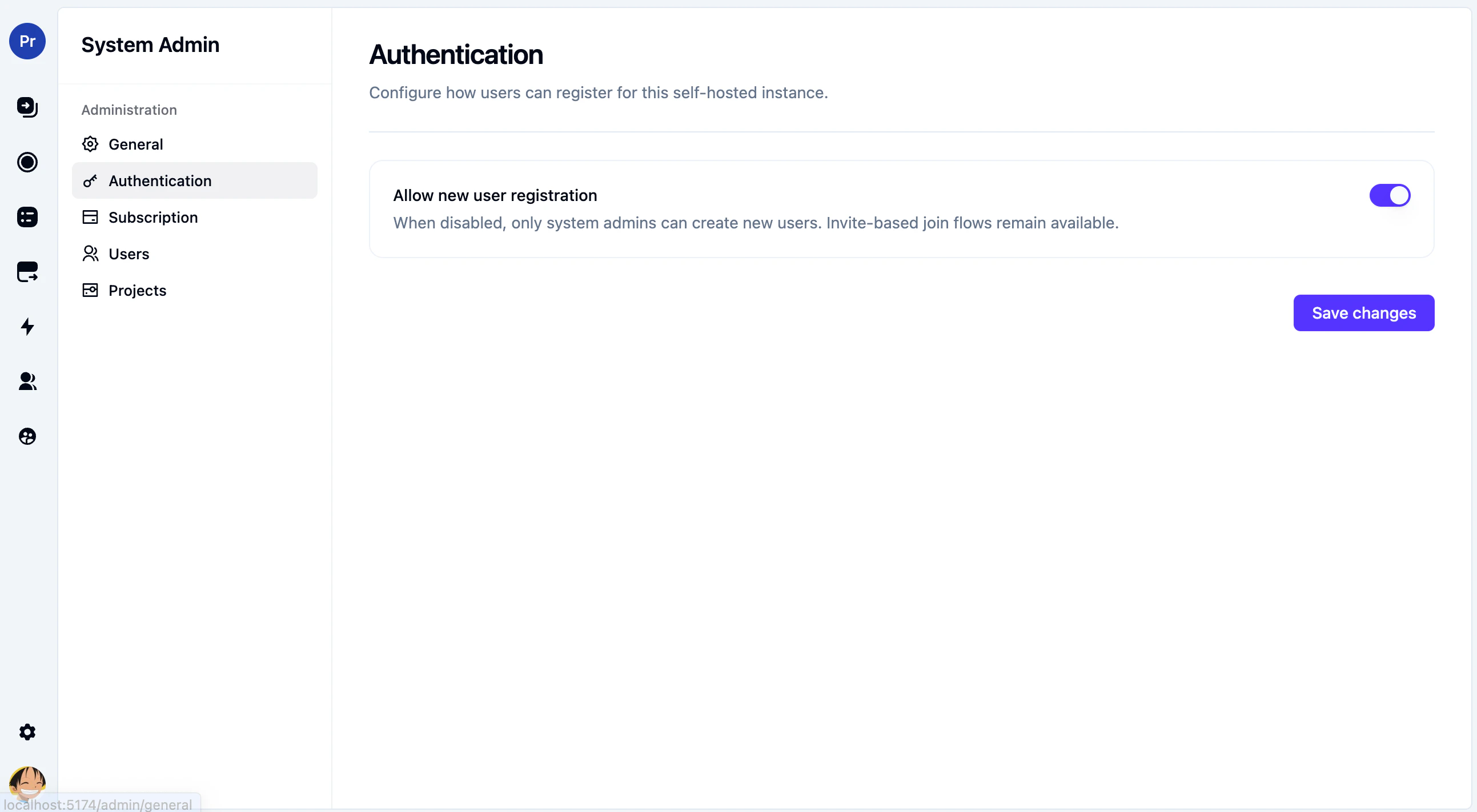
Authentication behavior
Instance-level subscription and licensing
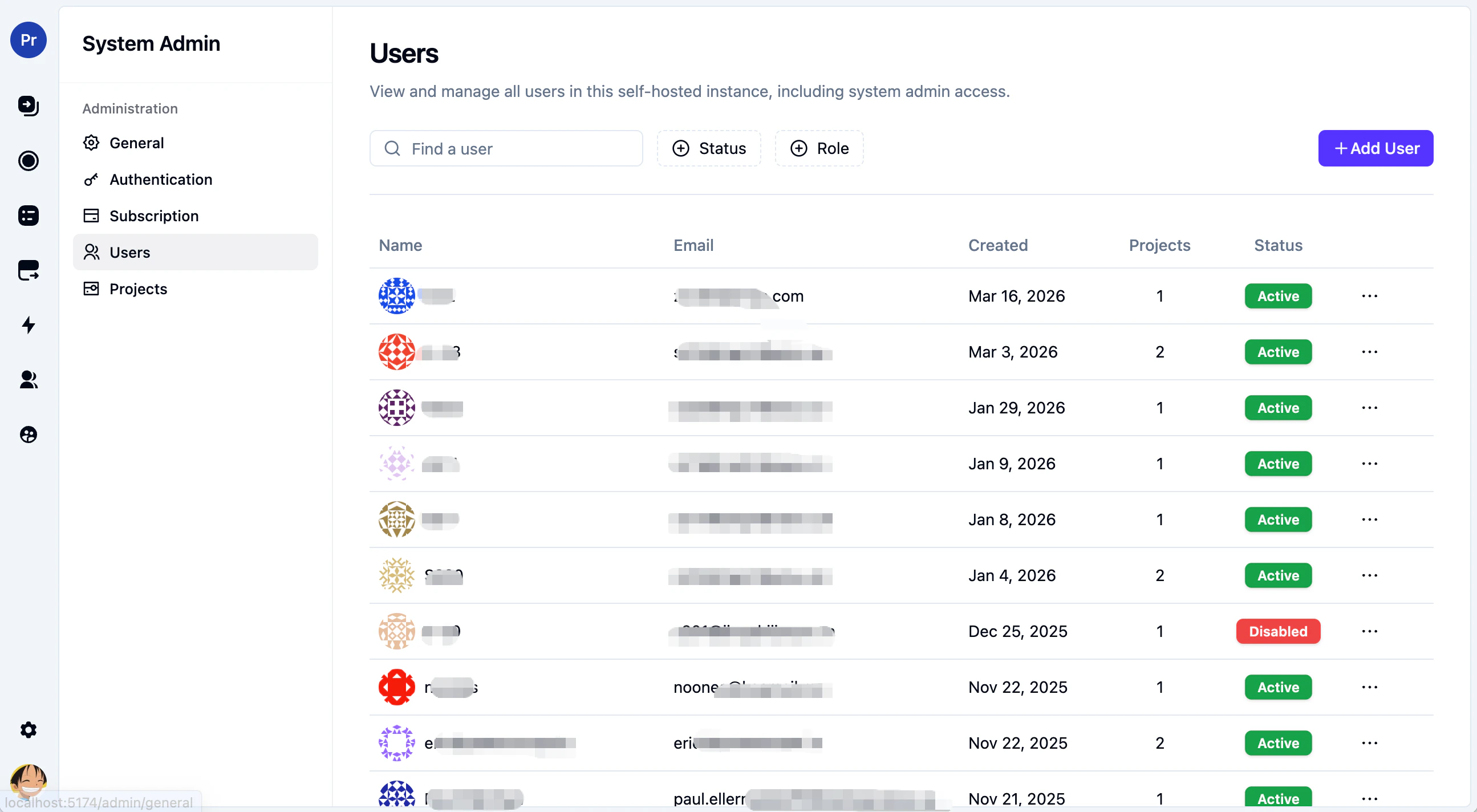
Global user management
Global project management
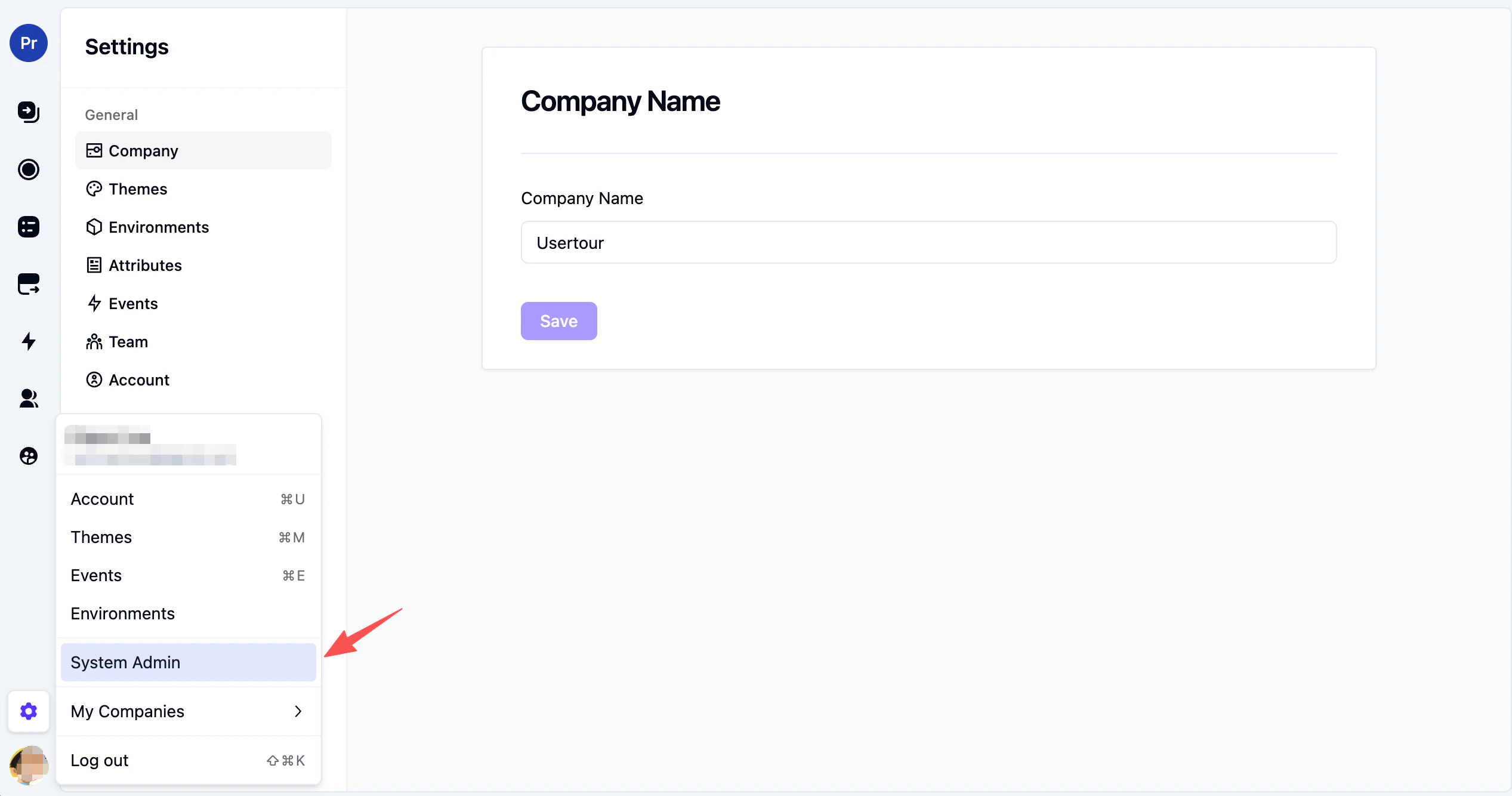
Open System Admin from the account menu in the bottom-left corner of the app.
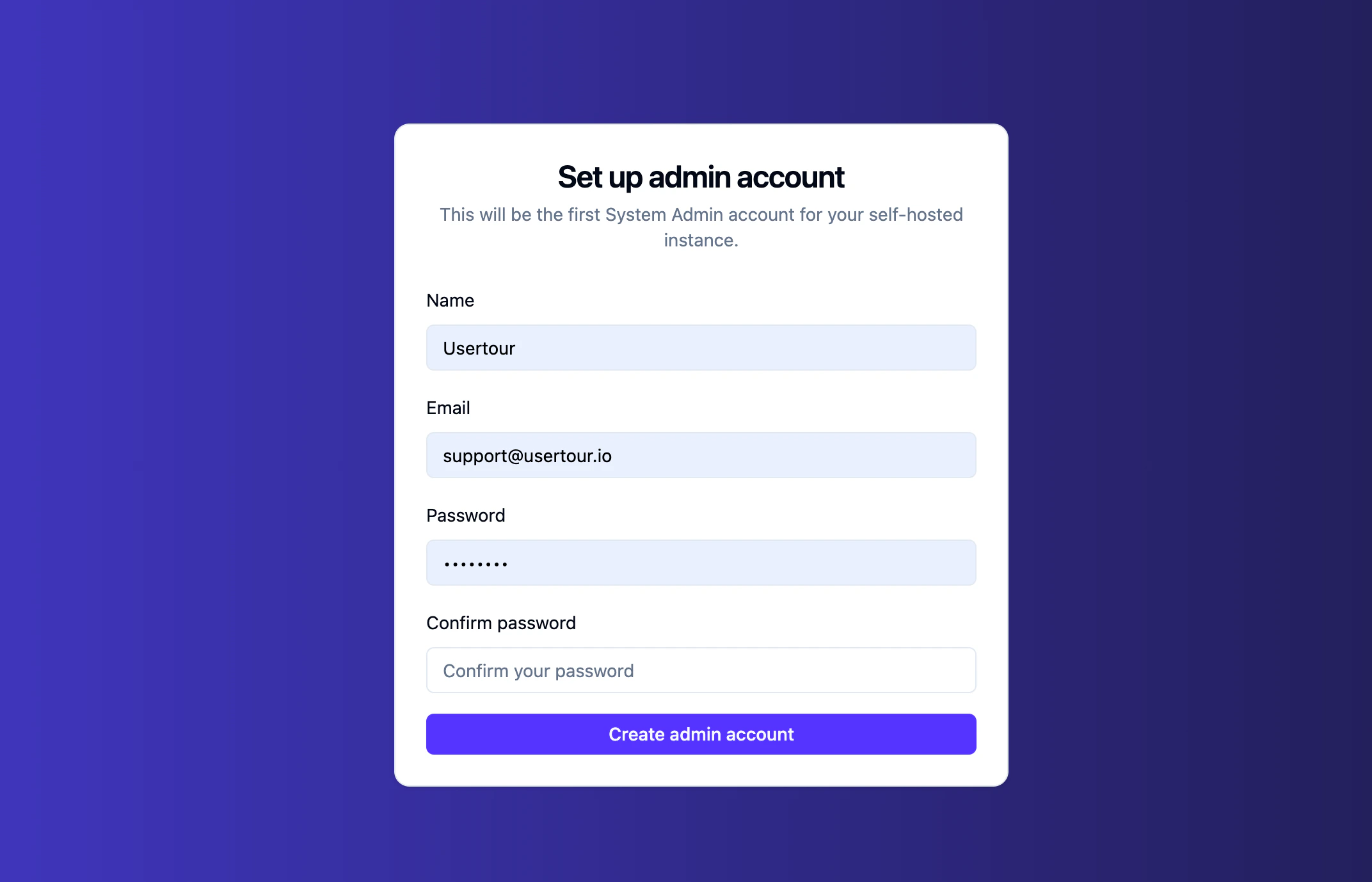
On a fresh self-hosted deployment, the first person who opens the site will be asked to set up the first admin account.This account becomes the instance’s first System Admin. After setup, you can open System Admin from the account menu to manage:
instance settings
authentication policy
instance subscription
users
projects
If you’re upgrading an older self-hosted deployment and you don’t yet have any System Admin, assign that permission manually first. A simple PostgreSQL example looks like this:
The Authentication page also hosts the instance-wide Two-factor authentication policy. This is where a System Admin can require every user on the instance to set up 2FA with an authenticator app before they can use Usertour.For the per-user setup flow (scanning a QR code, saving recovery codes, signing in), see the user-facing guide: Two-Factor Authentication.
Turn on Require 2FA for all users to enforce 2FA across the entire instance.When the toggle is on:
Users who haven’t set up 2FA yet are taken to a setup page the next time they open Usertour, and they can’t use anything else until setup is finished.
Any active sessions those users have on other devices are signed out, so they’re prompted to set up 2FA right away rather than continuing in an unprotected session.
On their Settings → Account page, the Disable 2FA option is locked. A tooltip explains that the administrator requires 2FA.
A System Admin can still turn the policy off later — but only after enabling 2FA on their own account.
You must have 2FA enabled on your own account. Otherwise you’d lock yourself out the moment the policy takes effect. The toggle stays disabled and an inline message links to your account settings.
Your instance license must cover two-factor authentication. This is an Enterprise feature on self-hosted plans. If the current license doesn’t include it, the toggle stays disabled and the page shows an upgrade message.
For more on instance licensing and how to upload an instance license, see License Management.
Two-factor authentication is a self-hosted Enterprise feature. If the instance license expires or stops covering it, the feature as a whole is paused on the instance — not silently switched off, but not actively enforced either:
The Require 2FA for all users toggle stays in its current position, with an inline notice telling the admin that the policy is not currently being applied.
Users who haven’t set up 2FA yet are not forced to do so.
Users who already set up 2FA sign in with just their password while the license is unlicensed. Their stored authenticator secret and unused recovery codes are preserved in the database untouched.
Once a valid license is in place again, everything snaps back: enrolled users are asked for their authenticator code at the next sign-in, the policy starts forcing un-enrolled users through setup again, and the Account page lets users manage 2FA again.
We treat 2FA as license-gated end-to-end rather than splitting “new enrollment” from “existing enrollment”. A self-hosted instance that no longer pays for the feature simply doesn’t have it; renewing the license restores it without anyone losing their setup.
The instance-wide Require 2FA for all users toggle exists only in self-hosted deployments. On Usertour Cloud (SaaS), each user manages 2FA on their own account from Settings → Account; there is no instance-wide enforcement.
By design, Usertour does not offer an admin button for resetting another user’s 2FA — handing one person the ability to silently drop someone else’s second factor would defeat the point of having it. The escape hatch is database-level: if a user has lost both their authenticator app and their recovery codes, a System Admin can reset 2FA directly in PostgreSQL.
-- Replace 'lost-access@example.com' with the actual user's email.WITH target AS ( SELECT id FROM "User" WHERE email = 'lost-access@example.com')UPDATE "User"SET "twoFactorEnabled" = false, "twoFactorSecret" = NULL, "twoFactorEnabledAt" = NULLWHERE id IN (SELECT id FROM target);DELETE FROM "TwoFactorRecoveryCode"WHERE "userId" IN (SELECT id FROM target);
After the reset, ask the user to sign in again and re-enable 2FA. If the instance-wide policy is on, they’ll be taken to the setup page automatically.
Only use this path when there is no other way back in. Confirm the user’s identity through a side channel (a video call, a known internal account, etc.) before resetting their second factor.
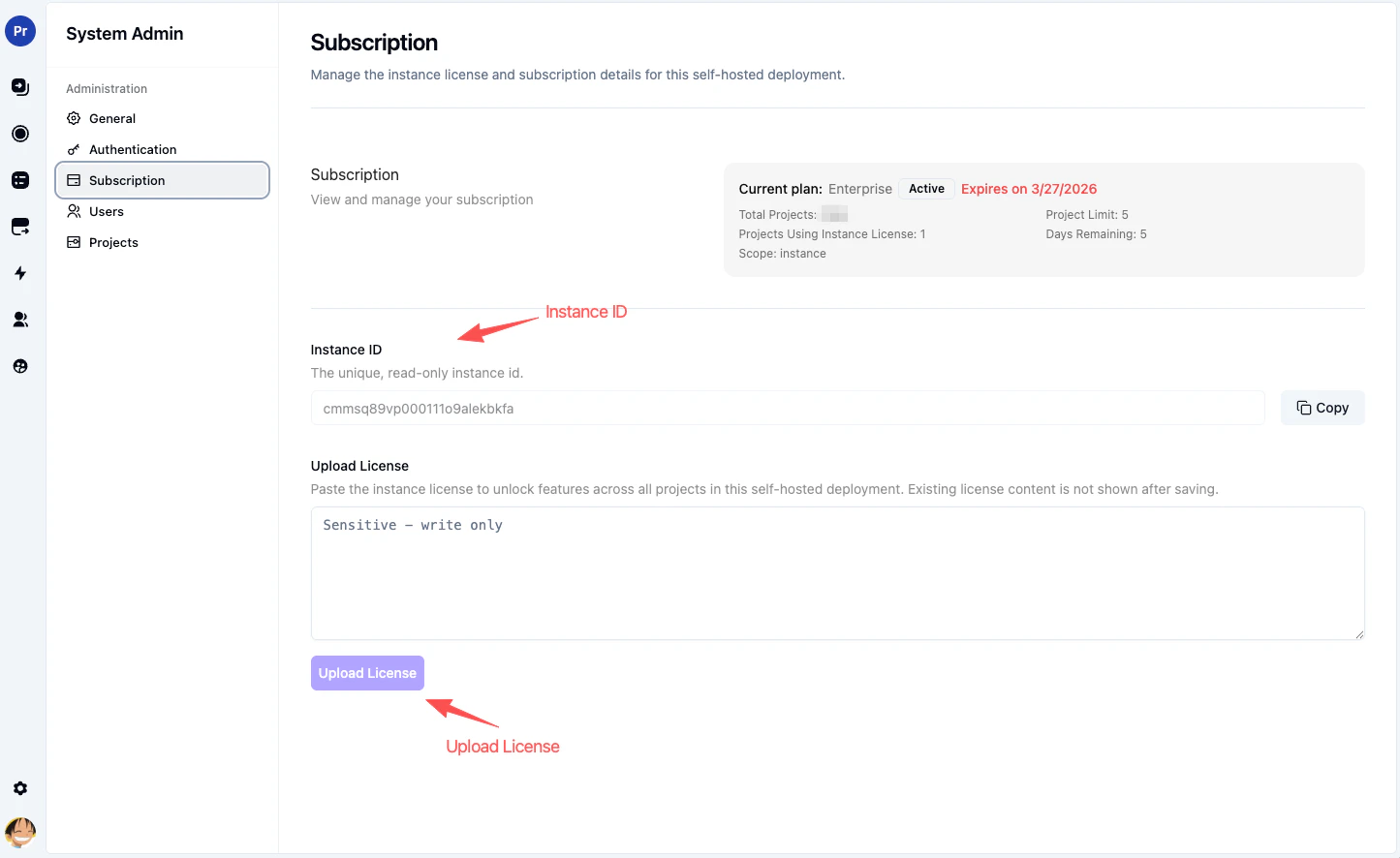
The Subscription page is the main place to manage instance-level licensing in self-hosted mode.From here you can:
review the current instance plan
copy the Instance ID
paste an instance license
review project usage against the current instance license
For most self-hosted setups, this is the licensing page you’ll use most often.The current System Admin subscription flow uses a write-only license field. Paste the instance
license, submit it, and the stored license text will not be shown again afterward.For a full explanation of instance-level vs. project-level licensing, see License Management.
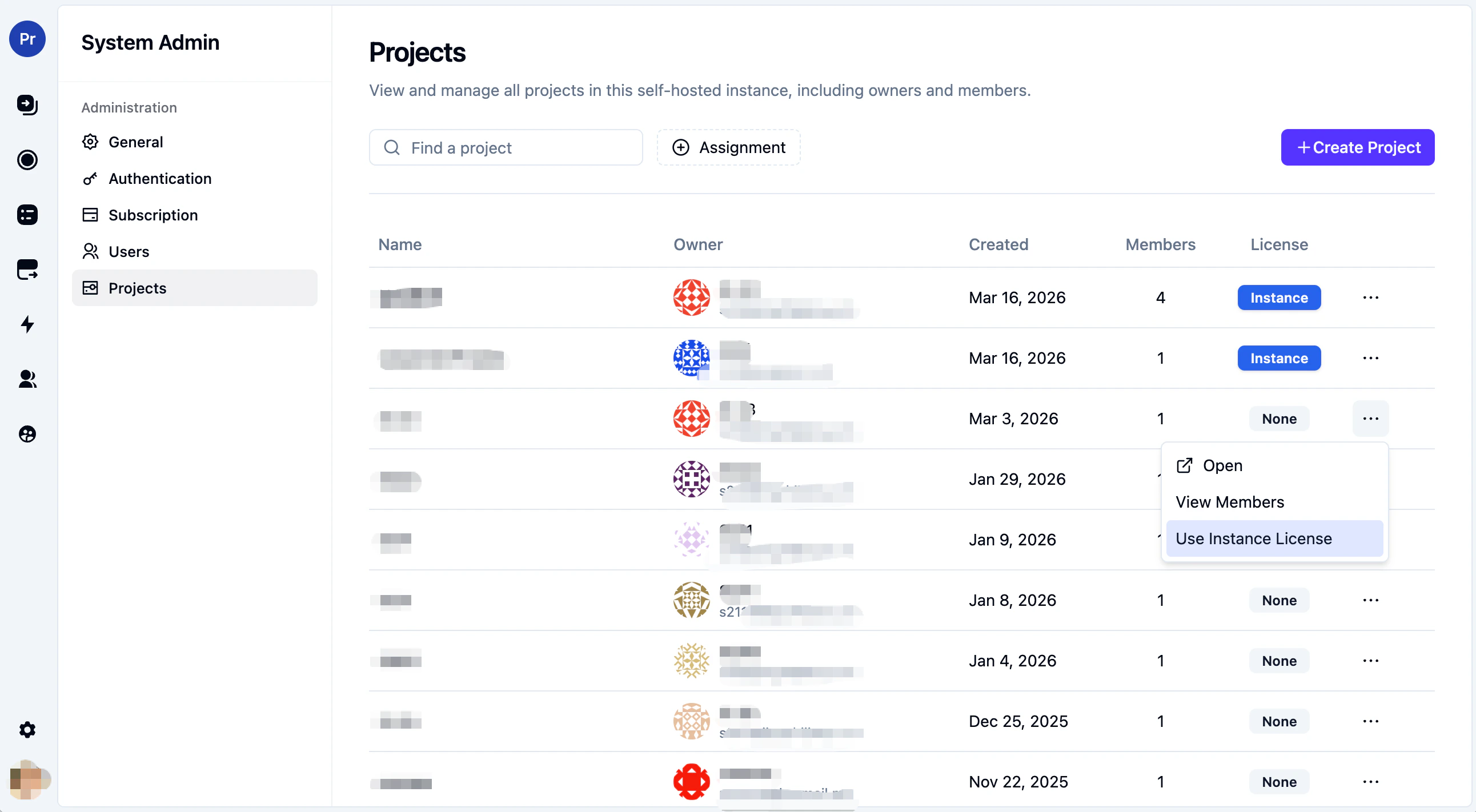
The Projects page gives you a top-level view of every project in the instance.From here you can:
search projects by name
create a new project
inspect project owners and member counts
open project member management
add or remove members
control whether a project uses the instance license when applicable
If your instance license has a limited project allowance, this page is also where you decide which projects should use it. If the instance license is unlimited, projects can inherit it automatically.
In practice, most teams will want to use instance-level subscription as the default and only use project-level subscription when a specific project needs separate handling. The Allow project-level subscription management setting helps reduce duplicate entry points in the UI without taking away support for project licenses.