Documentation Index
Fetch the complete documentation index at: https://docs.usertour.io/llms.txt
Use this file to discover all available pages before exploring further.
Sometimes onboarding should not be one-size-fits-all.
A new user may want a short product tour. Another user may want a deeper walkthrough. Instead of trying to put both paths into one long flow, start with a small choice modal and let the user choose which tour to open next.
The clean pattern is to use one flow as the chooser, then start a different flow from each button.
Scenario
When the user logs in, show a modal with two choices:
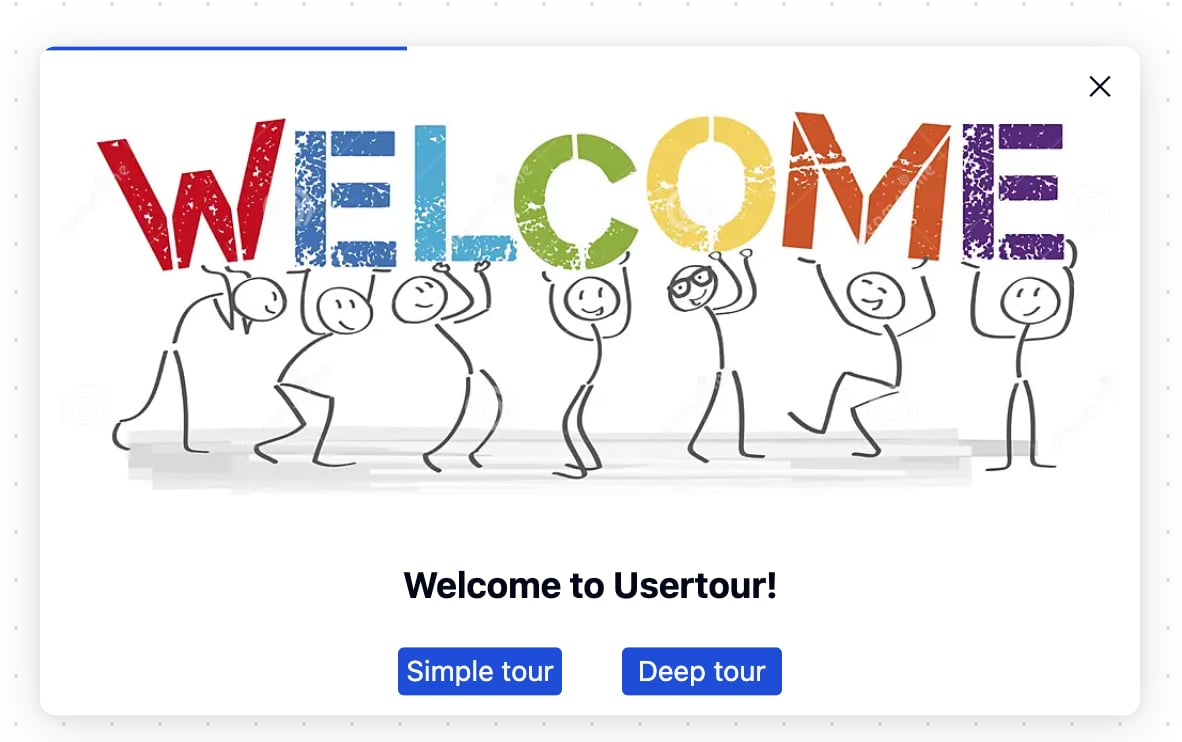
If the user clicks Simple tour, Usertour should close the chooser modal and start the simple tooltip flow.
If the user clicks Deep tour, Usertour should close the chooser modal and start the deeper walkthrough.
Create The Three Flows
Use separate flows for each job:
Flow 1:
Choose your tour
Flow 2:
Simple tour
Flow 3:
Deep tour
The first flow only asks the user to choose. The other two flows contain the actual onboarding paths.
This keeps each flow easier to edit, publish, and analyze. The chooser is not mixed with the tour content, and the simple and deep paths can evolve independently.
On the Simple tour button in the chooser modal, add these actions:
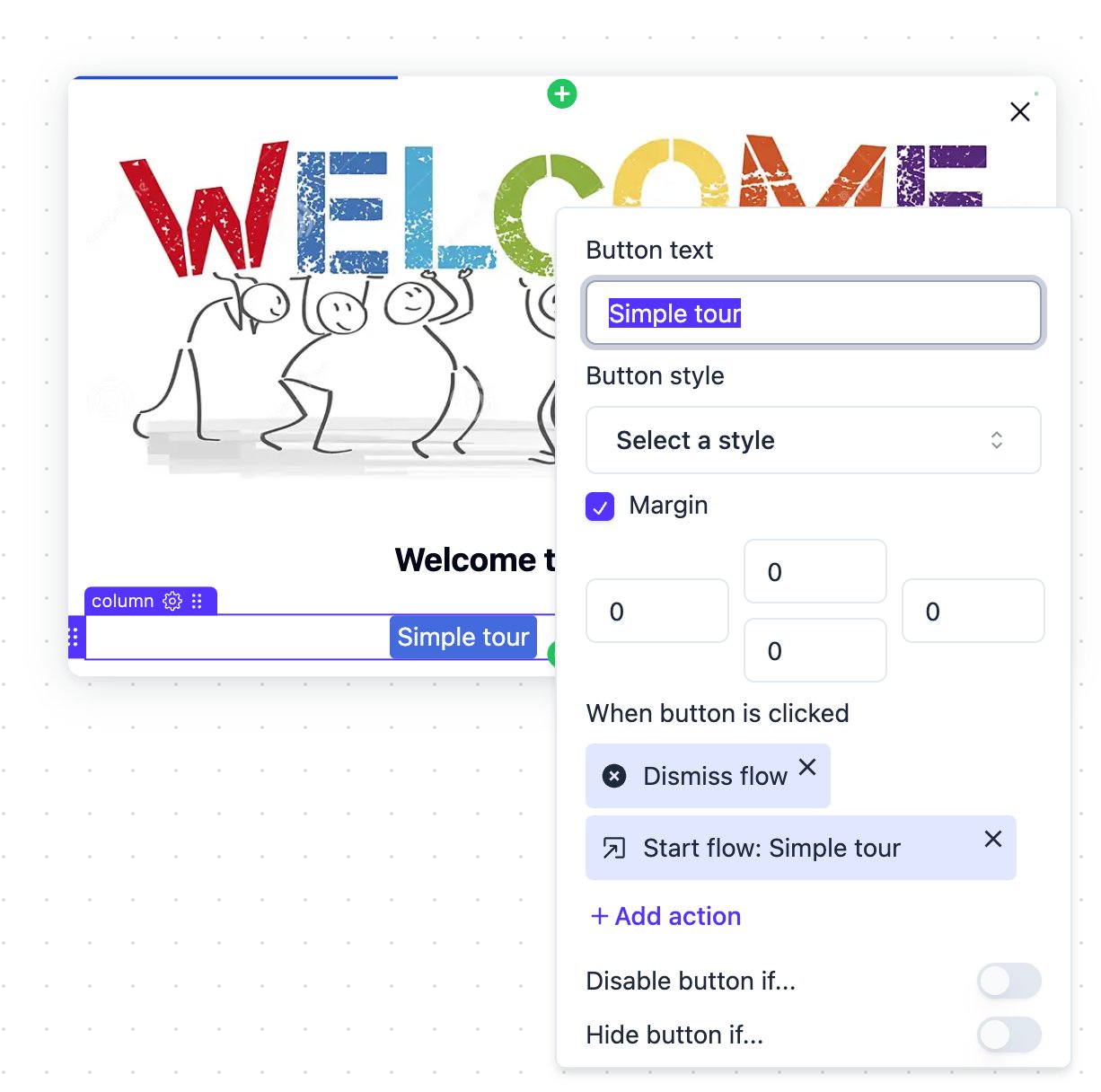
Dismiss flow
Start new flow/checklist: Simple tour
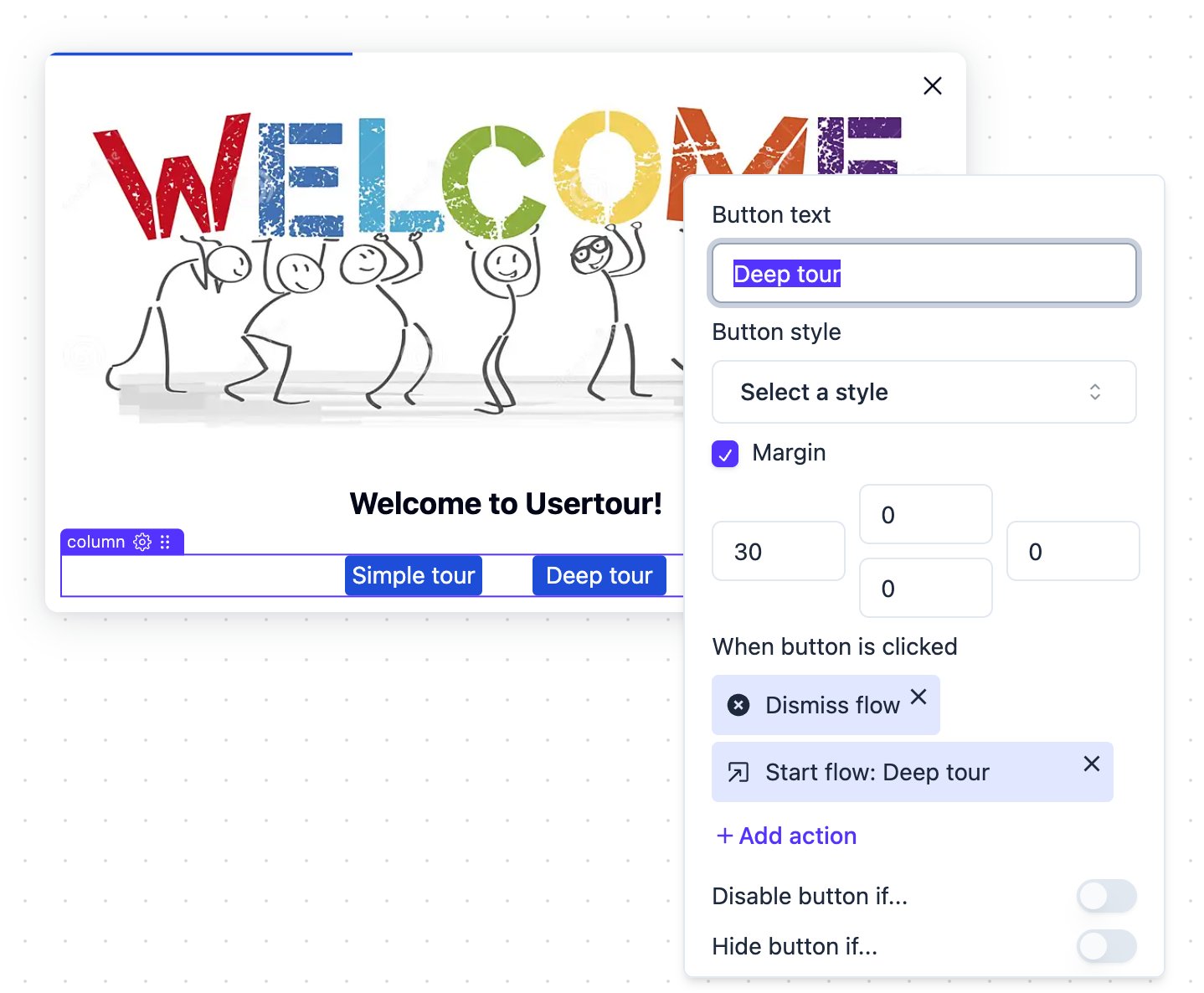
On the Deep tour button, add these actions:
Dismiss flow
Start new flow/checklist: Deep tour
The first action closes the chooser flow. The second action starts the selected target flow.
Why The Chooser Should Be Dismissed
The chooser modal is only a decision point. Once the user has chosen a path, it should get out of the way.
If the button only starts a new flow, the original chooser still has its own session and state. Dismissing the chooser first gives the next flow a clean moment to begin.
The sequence should be:
User clicks Simple tour.
The chooser flow is dismissed.
The Simple tour flow starts.
The same pattern applies to the deep tour path.
When To Use This Pattern
Use this pattern when a user choice should send people into different onboarding flows.
Good examples include:
- Simple setup vs advanced setup
- Admin tour vs member tour
- Product tour vs integration tour
- New customer onboarding vs migration guide
- Short overview vs full walkthrough
The chooser flow should stay short. It should help the user choose a path, not explain the product itself.
What To Avoid
Avoid building both tours as branches inside one long flow unless they are tightly connected.
A single branching flow can become hard to maintain. It also makes analytics harder to read, because the same flow contains multiple user journeys.
Separate flows are usually clearer:
One chooser flow
One simple tour
One deep tour
This structure makes the user’s choice explicit and keeps each onboarding path focused.