
Documentation Index

Fetch the complete documentation index at: https://docs.usertour.io/llms.txt

Use this file to discover all available pages before exploring further.

A user who closes onboarding has not necessarily rejected it. They may be in the middle of a task, or they may understand enough for now. The close button gives them control over the moment, but it can also leave one small question unanswered: where can they restart the onboarding later? Use a second flow for this follow-up. Let the original flow end normally, then start a short tooltip that points to the place where onboarding can be reopened. For example:
Original flow:
Welcome onboarding

Follow-up flow:
You can restart onboarding from the help menu at any time.
The follow-up flow should not continue the onboarding. Its job is smaller: confirm that closing was accepted, and show the user where to return.

Configure The Follow-Up Flow

Create a second flow with one tooltip. Point that tooltip at the launcher, help menu, resource center, or any other place where the user can restart onboarding. Then configure the second flow to auto-start from an event rule:
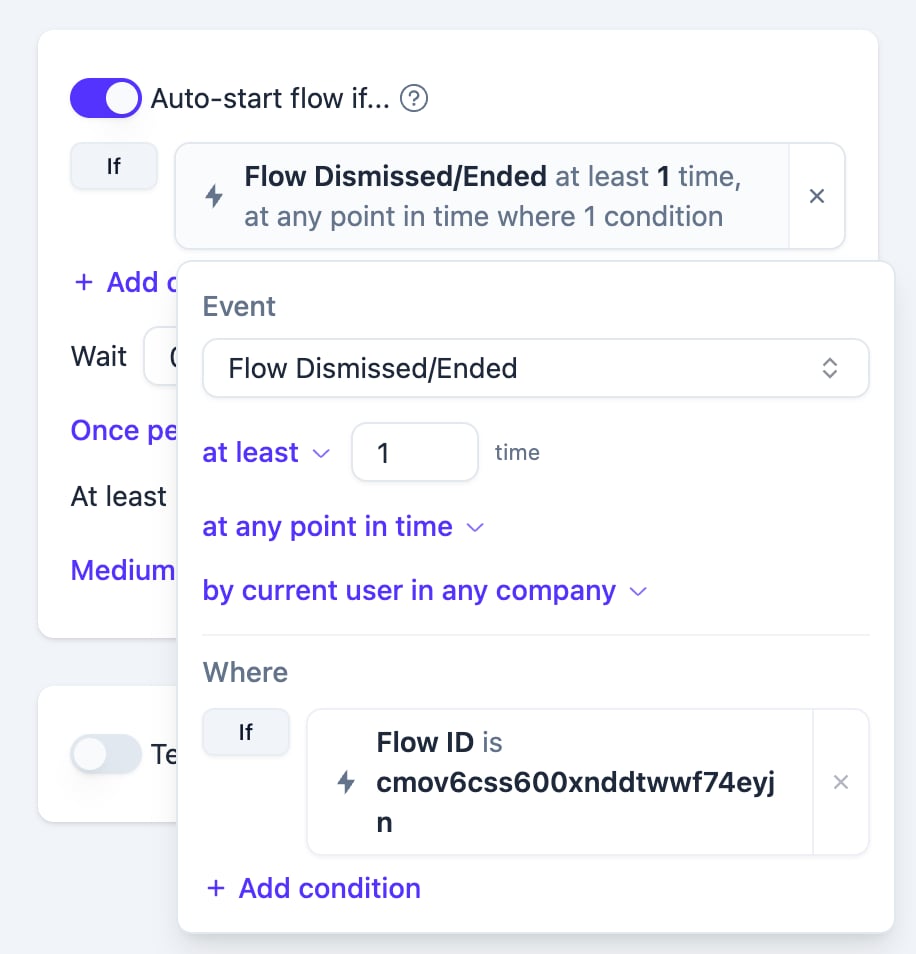
Event
Flow Dismissed/Ended
at least 1 time
at any point in time
by current user in any company

Where
Flow ID is your original flow ID
Flow Dismissed/Ended event rule filtered by Flow ID With this setup, Usertour waits until the current user has ended that specific original flow. Only then does it start the follow-up tooltip.

Why This Uses An Event Rule

The close button is not a normal step button. It belongs to the flow session itself. When the user clicks X, the SDK closes the flow and sends an end message for that session. The server records a Flow Dismissed/Ended event, including the flow ID and the reason the flow ended. The follow-up flow uses that recorded event as its start signal. This keeps the behavior tied to the real lifecycle of the original flow, instead of treating the close button like a regular step button. That distinction matters because the follow-up should happen after the original flow is gone. The original flow ends first; the restart reminder starts only after that ending has been recorded.

Keep The Rule Specific

The Flow ID condition is what prevents this follow-up from starting after every flow the user closes. Without it, the rule would mean:
Start this follow-up after the user has ended any flow.
With it, the rule means:
Start this follow-up only after the user has ended this onboarding flow.
That makes the follow-up predictable, especially in products that have multiple onboarding, announcement, or feature education flows.

Frequency

In most cases, set the follow-up flow to Once per user. The user only needs to learn the restart location once. Showing the same reminder every time they close onboarding can make the close button feel less respectful. Use a broader frequency only if the restart location changes, or if the follow-up points to a temporary campaign rather than a permanent help entry. If your product has company-specific onboarding, consider changing the scope to by current user in current company. That keeps the reminder tied to the user’s current workspace instead of their full history across companies.

What The User Experiences

From the user’s point of view, the sequence feels simple:
They close onboarding.
The onboarding disappears.
A small tooltip points to the restart location.
The message should be brief:
You can restart onboarding from here anytime.
This keeps the close action intact while still giving the user a way back.