

- Integrations belong to an environment. Production and Staging each have their own configuration; an integration only ever receives that environment’s events.
- The full event stream, as it happens. An enabled integration receives every tracked event — built-in and custom,
page_viewedincluded. There is no per-event picker; an analytics destination wants the whole stream. - Delivery is at-least-once with retries, and every event carries a stable message id that the destination uses to deduplicate — a retried delivery never becomes a duplicate event.
- Your API key is write-only and stored encrypted. It is never shown again after you save it, and it never leaves the server except toward the provider.
- Availability. On Usertour Cloud, integrations are included from the Starter plan; self-hosted instances are never gated. Managing integrations requires the Owner role.
Connect a provider
Go to Settings → Integrations (pick the environment first — the page is per environment) and choose a provider card.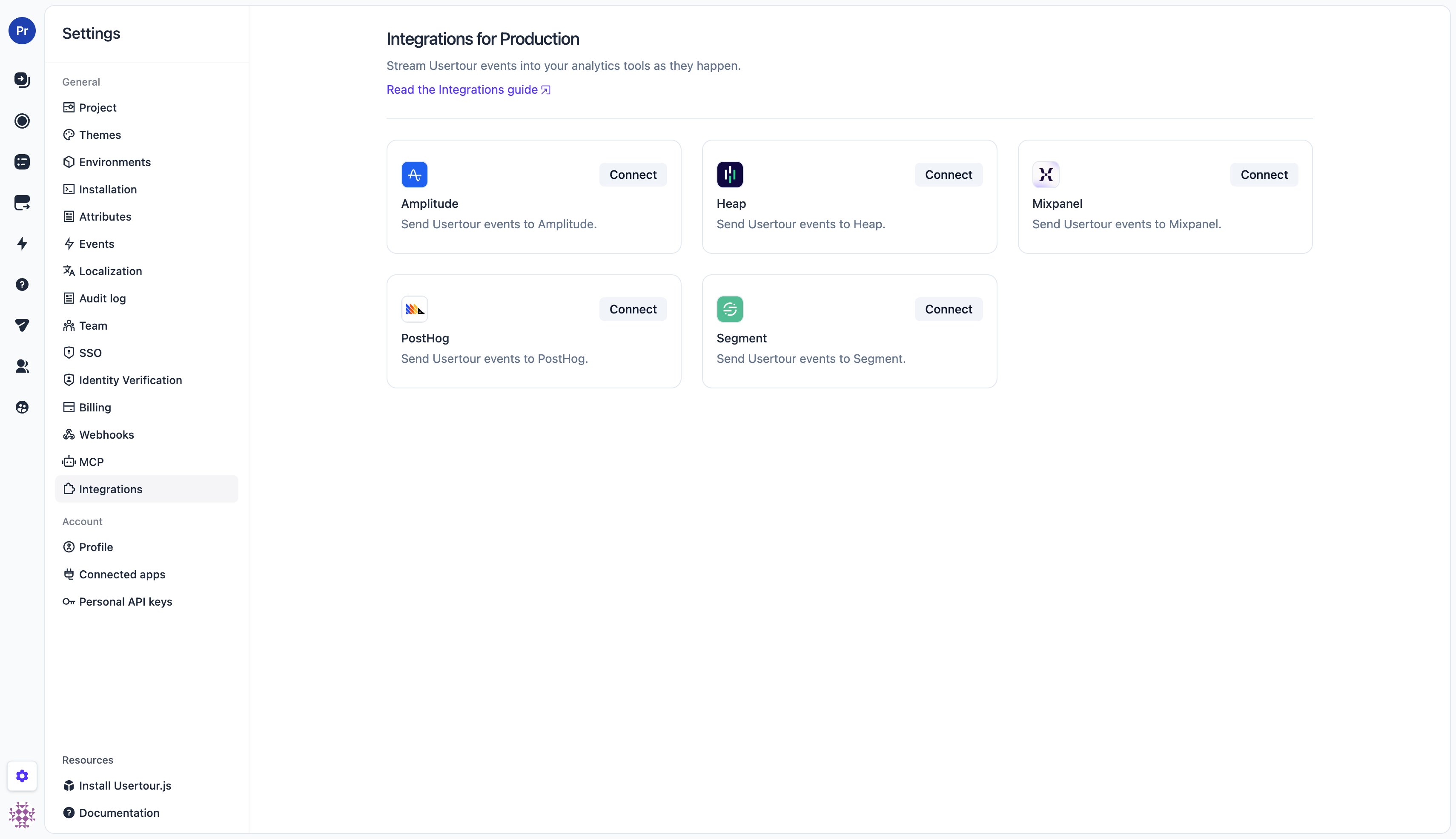
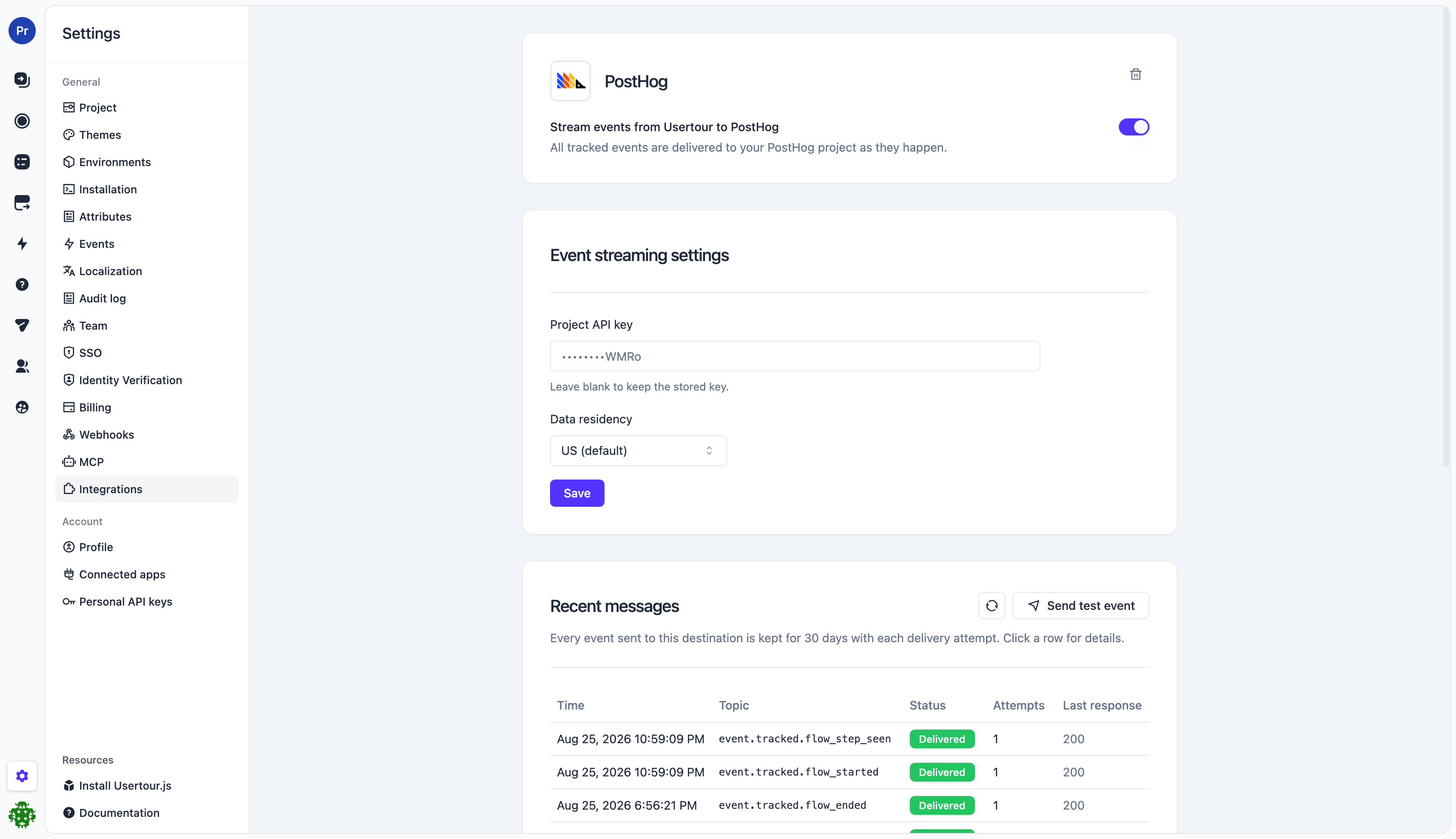
- Paste the provider credential (see where to find it below) and, where offered, pick the data residency region (US or EU — it must match where your provider project is hosted).
- Click Save. The first save connects the integration and turns streaming on.
- The switch at the top controls streaming from then on — flipping it takes effect immediately, no Save needed.
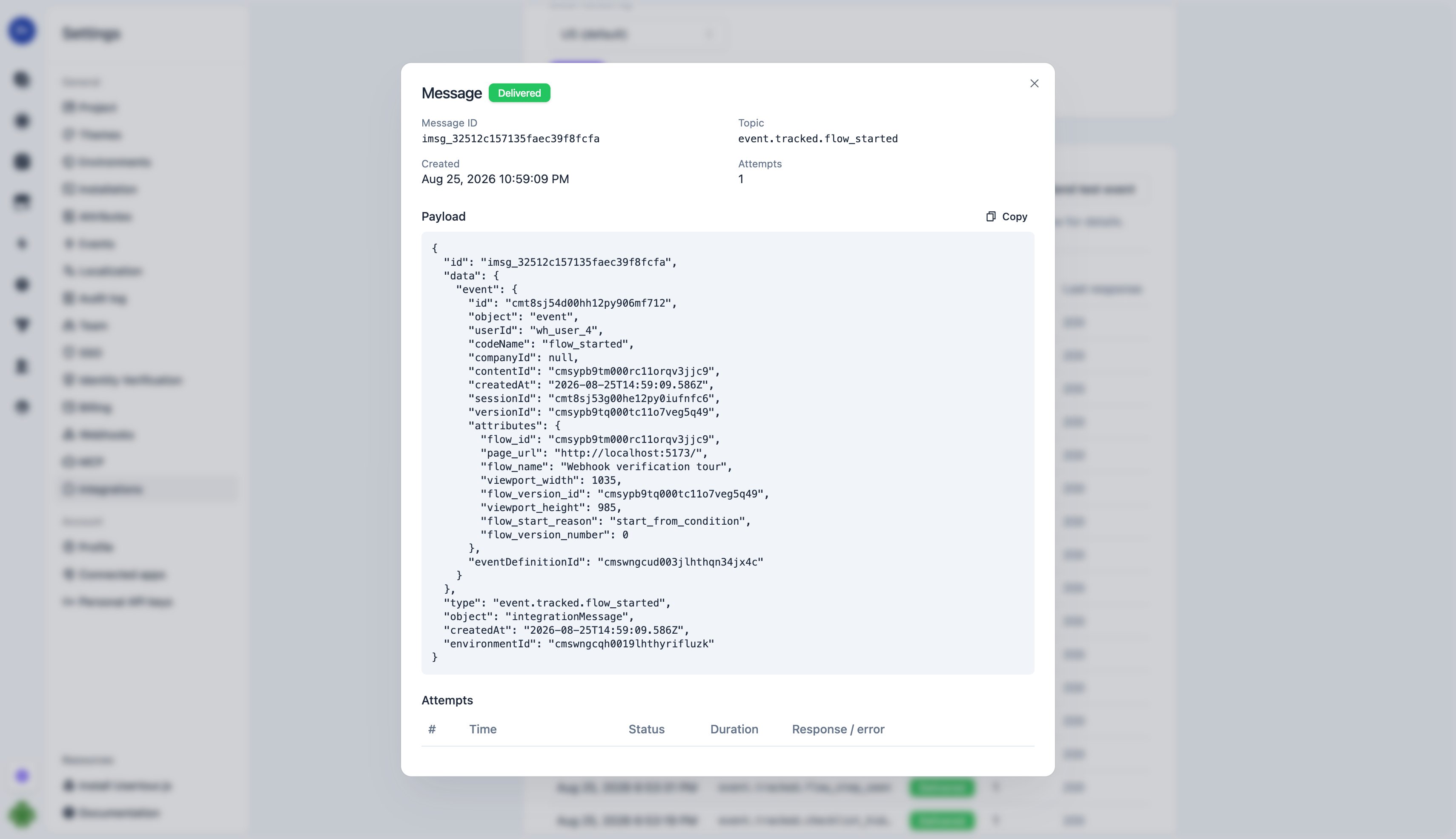
- Click Send test event to push a sample event through the full pipeline and confirm it arrives in the provider.
Provider credentials
Each provider authenticates with a single write credential. All of them are the write-side key — safe to think of as “the key the provider’s own SDK would embed in your website”.
Amplitude, Mixpanel, PostHog, and Segment offer EU data residency; set the region to match your provider project. Heap has a single region.
What gets sent
Each tracked event becomes onetrack-style event at the destination:
- Event name — the event’s code name, exactly as shown in Settings → Events (
flow_completed,checklist_task_clicked, your custom event names, …). - User — the user’s ID as you identified them with
usertour.identify(), so events line up with the same users your own instrumentation reports. - Timestamp — the moment the event happened in the user’s session, not the moment it was delivered.
- Properties — the event’s attributes (
flow_id,flow_name,flow_step_number,page_url, survey answers, …) plus the content session id, named by type:flow_session_id,checklist_session_id,launcher_session_id,banner_session_id, orresource_center_session_id. Use it to group one user’s run through the same flow into a session or funnel. - Message id — a stable id passed as the provider’s deduplication key (Amplitude
insert_id, Mixpanel$insert_id, SegmentmessageId), so a retried delivery never double-counts.
page_url and viewport size instead.
Delivery and reliability
Delivery runs through the same pipeline as webhooks:- Events are queued and typically arrive within a couple of seconds.
- A failed delivery is retried on a backoff schedule spanning roughly 24 hours, so a provider outage self-heals without losing events.
- If every attempt keeps failing (most commonly: a revoked or mistyped key), the integration cools down — deliveries are held, not dropped, and resume automatically.
- After 7 days of continuous failure the integration is switched off automatically and the project owner is emailed. Fix the key and flip the switch back on — new events stream again from that moment.
Troubleshooting
- Nothing arrives: check the message log — each row shows the provider’s HTTP response. A
401/403means the credential is wrong; re-enter it and use Send test event to verify. - Auto-disabled badge: the integration failed continuously for a week. The most common cause is a rotated or revoked key — update it and re-enable.
- Events look duplicated in the provider: they shouldn’t be — retries share the original message id. If you see duplicates with different ids, check whether another pipeline (e.g. the provider’s own SDK on your site) reports the same actions.
- Region mismatch: a key from an EU project sent to the US endpoint (or vice versa) is rejected by the provider — make sure the data residency setting matches the project the key belongs to.