

- Endpoints belong to an environment. Production and Staging each have their own list; an endpoint only ever receives that environment’s traffic.
- You subscribe by topic.
event.tracked.flow_completed,user.updated,content.published, … — or a whole family at once so future additions flow in automatically. - Every message is signed with a per-endpoint secret (
X-Usertour-Signature), so your receiver can verify it really came from Usertour and hasn’t been tampered with. - Delivery is at-least-once with retries. A stable message id lets you deduplicate; the message log shows every attempt and lets you re-send.
- Availability. On Usertour Cloud, webhooks are included from the Starter plan; self-hosted instances are never gated. Managing endpoints requires the Owner role.
Create an endpoint
Go to Settings → Webhooks (pick the environment first — the page is per environment) and click New webhook.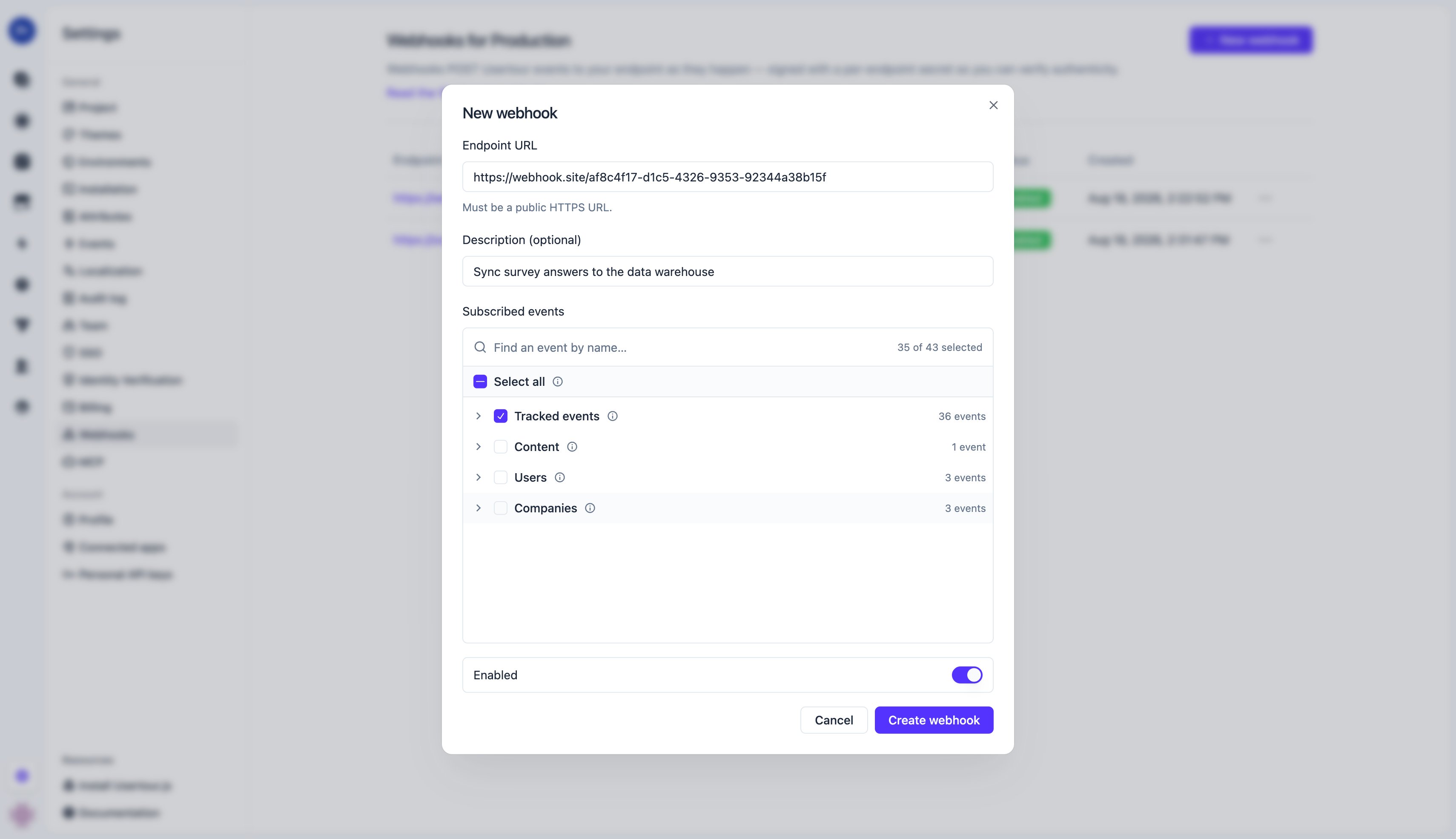
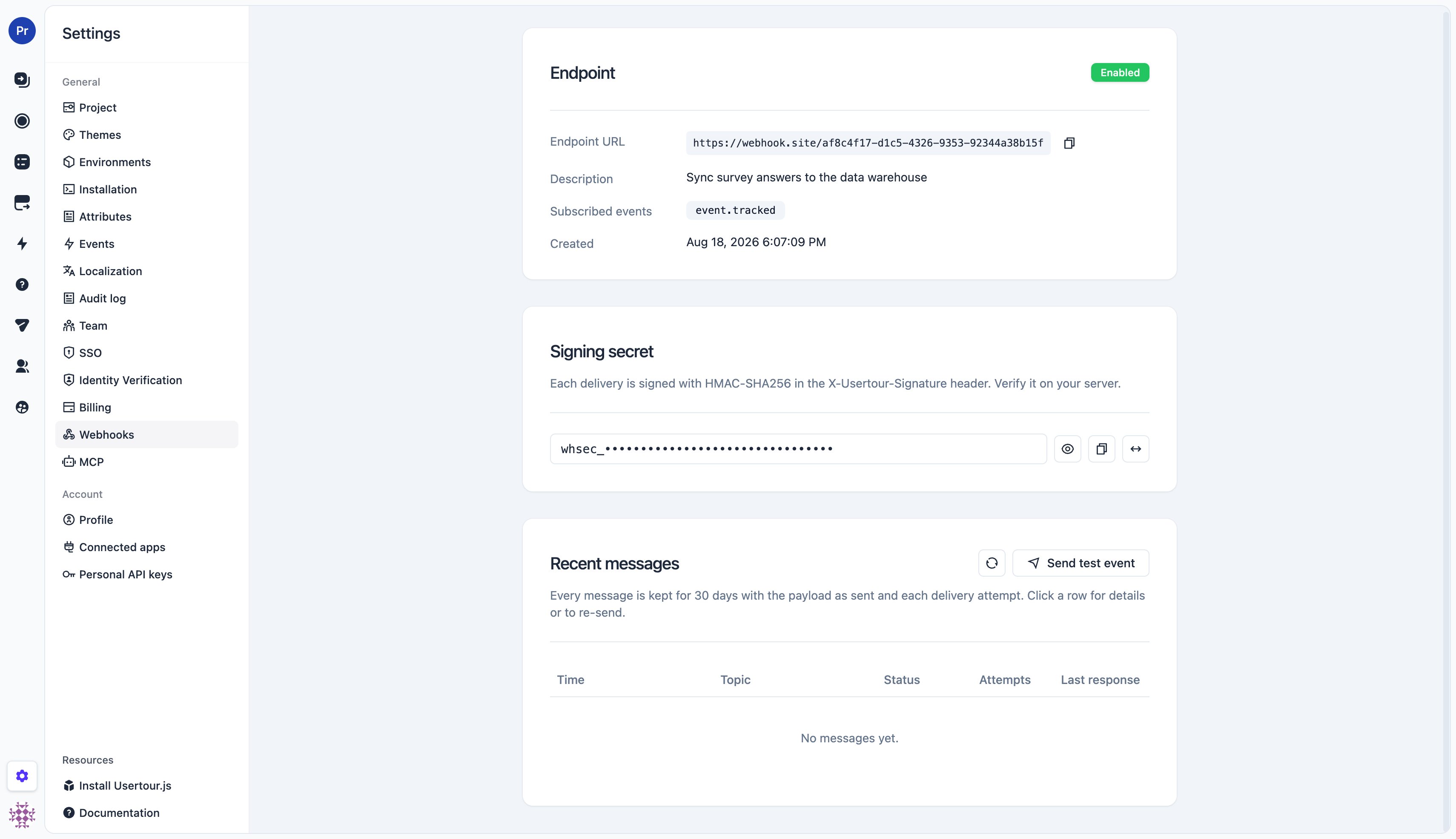
Creating the endpoint generates its signing secret (
whsec_…). Open the endpoint’s detail page to reveal or copy it, and to rotate it — rotation takes effect immediately, including for retries already in flight, so update your receiver first.
Topics
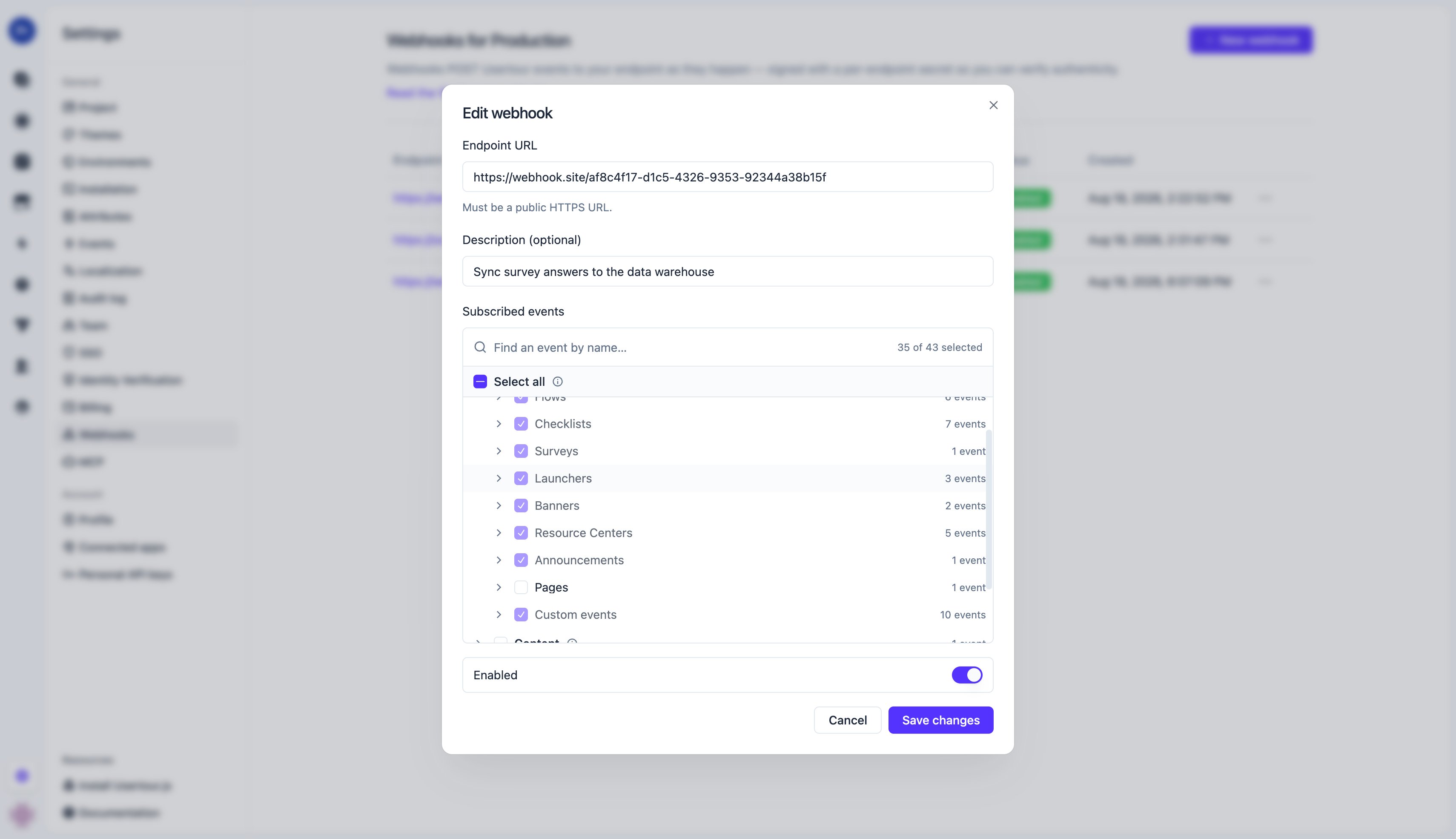
A topic names one kind of message. Subscriptions are a tree — pick a leaf, a family, or everything:<codeName> is the event’s code name as shown in Settings → Events — built-in ones such as flow_started, flow_step_seen, flow_completed, flow_ended, checklist_started, checklist_task_completed, checklist_completed, launcher_activated, banner_seen, resource_center_opened, event_tracker_completed, question_answered, announcement_seen, plus any custom event you track with usertour.track().
In the dashboard the same tree is a picker: Select all stores *, checking a family (Tracked events / Content / Users / Companies) stores its prefix, and checking individual events stores exact topics. Groups such as Flows or Checklists are a convenience that expands to their current events — they don’t auto-include events added later; check the whole Tracked events family for that.
Message format
Every delivery is a JSON body with a fixed envelope.type is the topic, id is the message id (stable across retries and re-sends — use it to deduplicate), and data depends on the topic.
Two naming layers. Field names that Usertour defines — the envelope and
the objects inside
data — are camelCase, identical to the REST
API. Keys inside attributes are event
or user/company attribute code names, passed through exactly as they exist in
your workspace: built-in ones are snake_case (flow_id, page_url), and
custom ones appear under whatever code name you created them with. They are
deliberately not rewritten, so the key you filter on in Usertour is the key
you receive here.event.tracked.*
data.event is the event object — the same shape the REST API returns. userId / companyId are the ids you passed to identify() / group(); sessionId / contentId / versionId are set for session-scoped events (flow, checklist, banner, …) and null for sessionless ones (custom track() events, trackers); attributes holds the event’s properties (the per-type *_id / *_name / *_version_* fields plus page_url and viewport size).
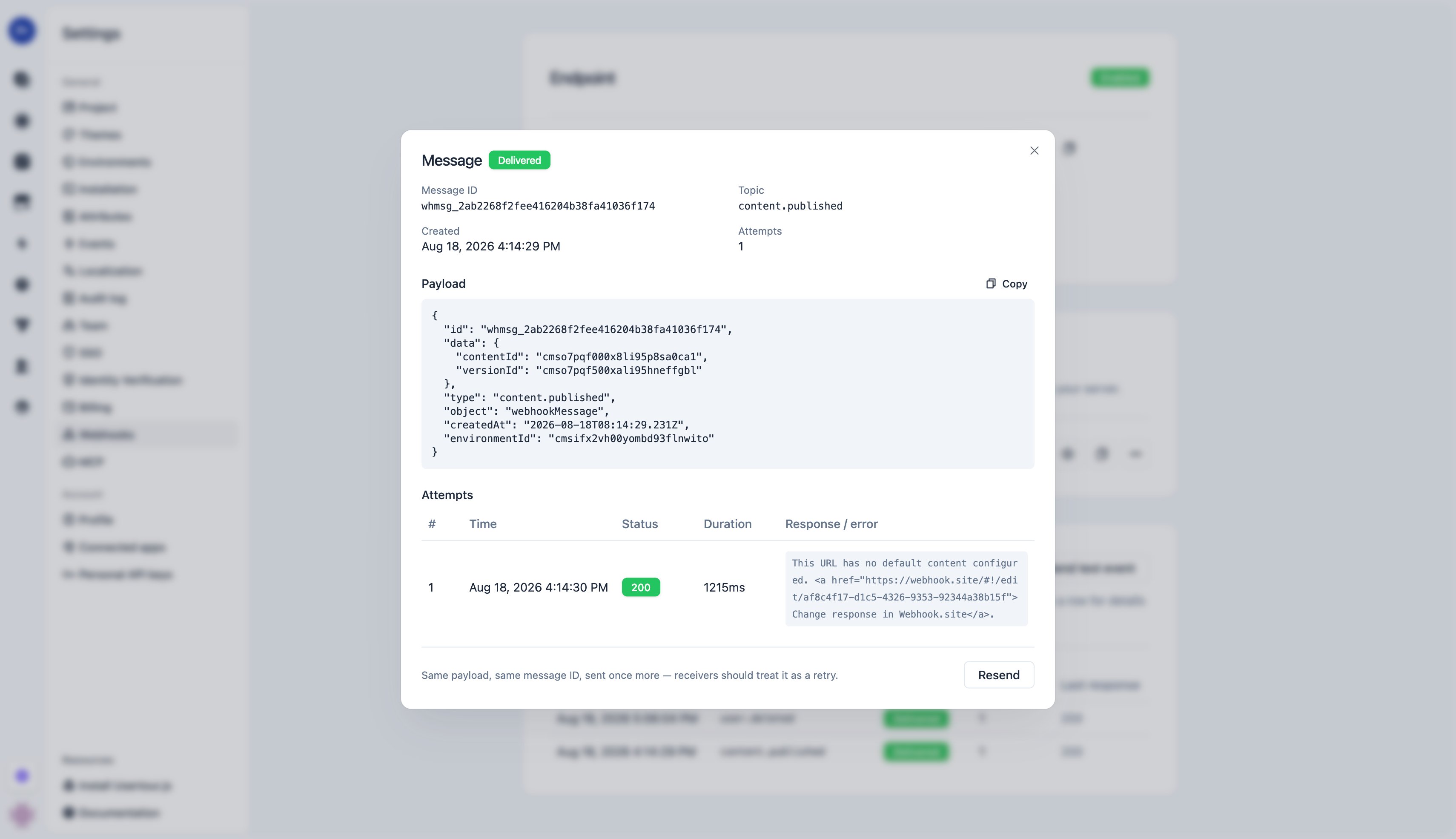
content.published
A thin notification — ids only. Fetch details from GET /v2/projects/{projectId}/content/{contentId} and its versions endpoint if you need them.
user.created / user.updated / user.deleted and company.*
data.user (or data.company) is the full object as of the change — for deleted, as it was just before deletion. updated additionally carries previousAttributes: the old values of only the attributes that changed or were removed, so you can tell what changed without diffing.
created and updated fire only when attributes actually change — an identify() that repeats the same values sends nothing. Timestamp bookkeeping such as last_seen_at never triggers a notification.
webhook.test
Sent by the Send test event button: the envelope with "type": "webhook.test" and "data": {}. Handy for checking connectivity and signature verification.
Verify the signature
Each request carries anX-Usertour-Signature header:
t— Unix timestamp (seconds) of the attemptv1— HMAC-SHA256, hex, keyed with the endpoint’s signing secret (the wholewhsec_…string), over the string"{t}.{raw body}"
t + "." + body, and compare it to v1 in constant time. Reject requests whose t is outside a tolerance window (5 minutes is typical) to block replays.
Delivery, retries, and the message log
- Success is any
2xxresponse within 10 seconds. Respond first, do the work afterwards. - Anything else — a non-2xx status, a timeout, a connection error, or a redirect — counts as a failure and is retried with growing delays over roughly 24 hours: 8 attempts in total (after ~5 s, 1 m, 10 m, 1 h, 4 h, 8 h, 12 h). An outage on your side that lasts less than a day heals itself — every message is delivered once the receiver is back, no action needed. All attempts carry the same body and message
id; only the signature timestamp changes. - Rate limiting: respond
429(or503) with aRetry-Afterheader and the next attempt waits at least that long (never sooner than the schedule above); the header is ignored on other statuses. - Ordering is not guaranteed across messages; use
createdAt(and the object’s own timestamps) rather than arrival order. - Repeated failures pause deliveries briefly. After 10 failed attempts in a row the endpoint cools down (starting at 1 minute, growing to at most 1 hour while failures continue — the dashboard shows a Cooling down badge). Deliveries are held, not dropped: everything is sent once the pause ends or a Send test event succeeds. If an endpoint keeps failing for 7 days, Usertour disables it and emails the project owner; re-enable it after fixing the receiver and use Resend for anything you need.
- Disabled or deleted endpoints drop their in-flight deliveries; the drops are recorded in the message log as failed attempts, so after re-enabling you can see and re-send what was missed.
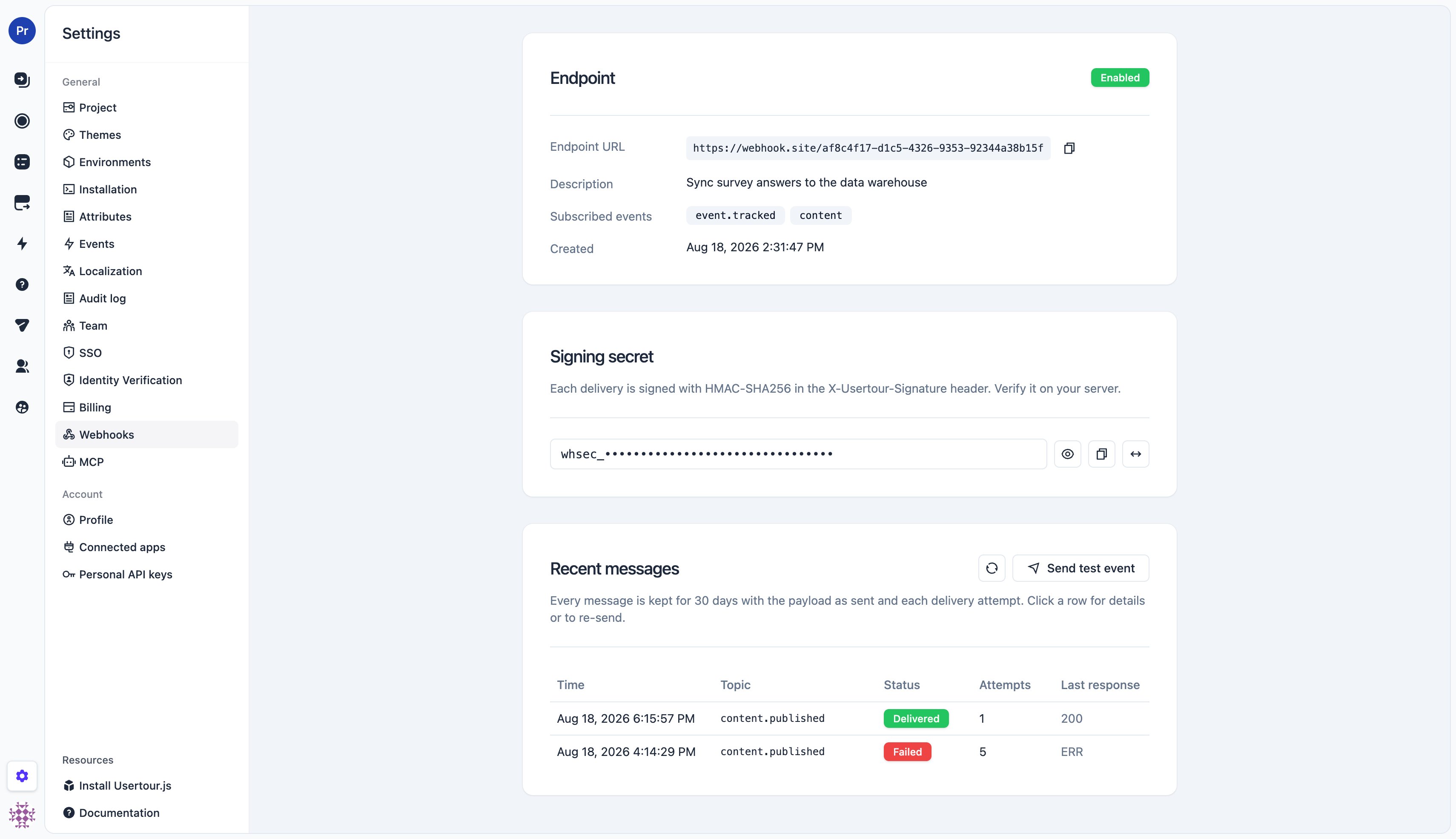
- The message log on the endpoint’s detail page keeps every message for 30 days: the payload as sent and each attempt with status code, response excerpt, and error. Open a message to inspect it or Resend it — the same payload under the same message id, as one more attempt — after fixing your receiver.
Manage endpoints from the API or MCP
Endpoints are also a REST resource under the environment (…/environments/{environmentId}/webhooks), so you can provision them from scripts or infrastructure-as-code — the operations are listed under Webhooks in the API reference, and the MCP server exposes them as list_webhooks, create_webhook, update_webhook, and delete_webhook. The token needs the webhook:read / webhook:manage scopes and, because webhooks act on a specific environment, must name that environment in its allowlist; single-object reads return the signing secret only when the token holds webhook:manage (the secret is the ability to sign deliveries); the list never includes it.